LaserJet Printer Repair

Printer Repair

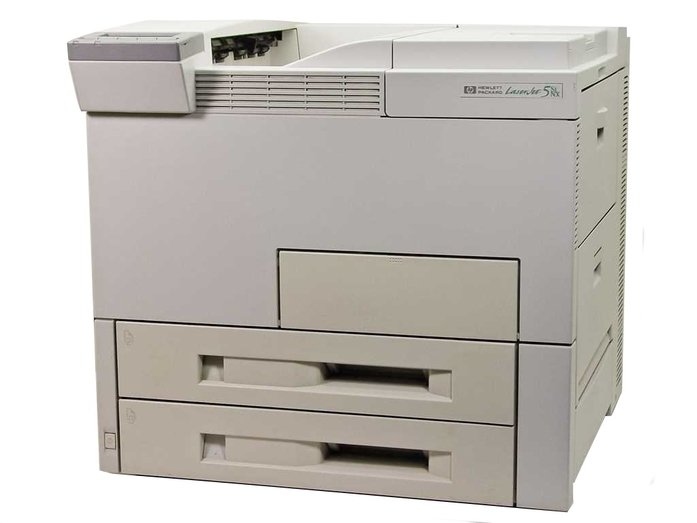
HP LaserJet 8100mfp | HP 8100 multifunction printer service

Authorized HP LaserJet 8100mfp Service Error Code Repairs and Laser-jet 8100 MFP Multifunction Printer Repair/service in Los Angeles, Orange County, and San Bernardino! LaserJet 8100mfp printer repair and maintenance service in Southern California! We specialize on HP LaserJet 8100mfp printer repair and onsite printer service in Los Angeles and Orange County with image defects, error messages, numerical error codes and maintenance errors. We provide LaserJet 8100MFP repairs with 57 fan error, Error 50, 50.1, 50.2 fuser errors as well as 51.1, 51.2 and 521,52.2 laser scanner errors. Our LaserJet printer service team has the technical ability to provide HP 8150mfp repairs on the first visit. Every Hewlett Packard LaserJet 8100 multifunction printer repair/service includes free cleaning. We offer 8100mfp repair with image defects and toner not bonding on the paper, smeared prints, dirty prints, repeating images and vertical line due to a bad fuser unit failure. We offer 6 months warranty on every HP laser-jet 8100 mfp printer repair and maintenance service at your site. We carry most common HP 8100mfp repair parts to provide service error code repairs on the first visit. We carry Genuine LaserJet 8100mfp C4182X toner cartridges to solve print defects with horizontal lines, blotches, repeating dots, mirror image and vertical line due to a bad refurbished toner. We carry Genuine HP 8150 Maintenance Kit C3914A and fuser units. We stock HP 8100 mfp paper input unit and delivery assembly to solve 13.1 and 13.2 error codes. We stock parts to provide 8100mfp/8100 multifunction printer numerical service error codes 51.1, 51.2 beam detect error , 52.1,52.2 laser scanner error and 50.1, 50.2, 50.3, 50.4 fuser error or bad low voltage power supply failure. Our goal is solve printer maintenance kit and service error codes on the first visit. Most Common Paper Jam Service Error Code Repairs on HP 8100mfp Hewlett Packard LaserJet 8100 mfp repair with 13 paper jam error codes! Clearing the Maintenance Count Service Message on Laser Jet 8100mfp Resetting the maintenance message/count on HP 8100 mfp/8150 mfp Using the Service Manu to Reset the Maintenance Error on Laserjet 8100 Multifunction Printers! HP LaserJet 8100mfp Replacement Parts List HP LASRJET 8100MFP PARTS PART NUMBER Fixing Assembly/Fuser Unit RG5-4315/C4214-69007 Maintenance Kit C3914-67902 Mulit-Purpose Pickup Assembly RG5-1880-000 Tray 1 Pickup Roller RB1-9526 Pickup Rollers Tray 2/3) RF5-2708-000CN Feed Separation Rollers RF5-1834 / RF5-1426 Low Voltage Power Supply RG5-4357-040C4265-69006 Delivery Assembly RG5-1874 Transfer Roller RF9-1394 Laser Scanner Assembly C4214-69003/C4214-69003 Formatter PCA C4107-69001/67901 Paper Pick-up Assembly RG5-4334-260CN Registration Roller Assembly RG5-4303-03/RH7-5187 Vertical Transport Unit C4780-69503 Transfer Roller RG9-1361 DC Controller C4214-69009/RG5-4375 Paper Pickup Assembly C4214-69017 Main Motor RH7-5219 Control Panel Overlay C4214-40029 Tray 2 Paper Cassette RG5-3951 Tray 3 Paper Cassette R98-1004 Diverter Door Assembly RB2-3558 Low Voltage Power Supply RG5-4301-040CN/RG5-4306 Toner Cartridge C4182X 3000 Sheet Stapler/Stacker RG5-4301-040CN 2,000 Sheet Input Tray C4781A Digital Copy Module Stand C4231A Duplexer/Duplex Unit C4782-69501

HP LaserJet 8100mfp | HP 8100 multifunction printer service Read More »
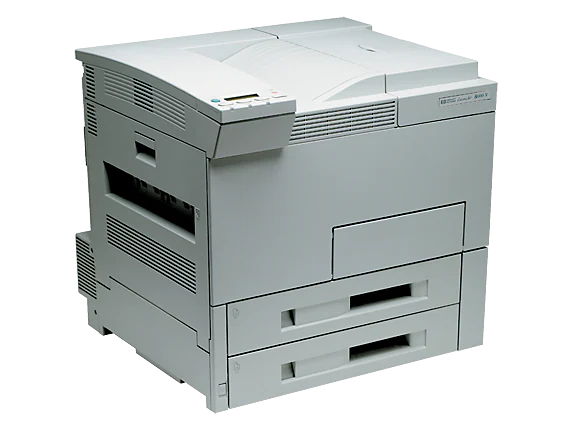
HP LaserJet 8100, 8100n, 8100dtn printer service

Authorized HP Laserjet 8100/8100n Printer Service Error Code Repairs | Laser-jet 8100 Printer Repair Los Angeles, Orange County, San Bernardino Ca. LaserJet 8100n, 8100tn, 8100dtn printer repair/service with 6 months warranty in Southern California! We specialize on HP LaserJet 8100 printer repair and onsite printer service in Los Angeles and Orange County with image defects, error messages, numerical error codes and maintenance errors. We provide LaserJet 8100 printer series HP 8100, 8100n and 8100dn printer repair with 57 fan error, Error 50, 50.1, 50.2 fuser errors as well as 51.1, 51.2 and 52. Our LaserJet 8100 printer service team has the technical ability to provide Laser-Jet 8100 series printer repair on the first visit. Every Hewlett Packard Laser Jet 8100 printer repair/service includes a free cleaning by our HP Certified technicians. We offer 8100/8100n printer repair with image not bonding on the paper, smeared prints, dirty prints, repeating images and vertical line due to a bad fuser unit failure. We offer 6 months warranty on every HP laser-jet 8100 printer repair and maintenance service at your site. Our HP 8100 repair technicians carry most common parts to fix ALL 8100 printer malfunctions with numerical error code on the first visit. We carry Genuine LaserJet 8100 C4182X toner cartridges to solve print defects with horizontal lines, blotches, repeating dots, mirror image and vertical line due to a bad refurbished toner. We carry Genuine HP 8100 Maintenance Kit C3914A and fuser units. We stock HP 8100 paper input unit and delivery assembly to solve 13.1 and 13.2 error codes. We stock parts to provide 8100/8100n printer repair with 50 numerical service errors 50.1, 50.2, 50.3 and 50.4 with a bad fuser unit or low voltage power supply failure. We Provide Fast On-site Service on Hewlett Packard LaserJet 8100 13 Paper Jam Error Codes! HP LaserJet 8100 Printer Repair in Southern California! HP LaserJet 8100 Printer Model (C4214A) HP Laser Jet 8100n Printer Specification (c4215a) HP Laser-jet 8100dn Printer Specification (c4216a) HP Laser Jet 8100 Series Printer Memory Information! HP LaserJet 8100 Printer Maintenance Service Error Code Repairs. We will resolve LaserJet 8100 service error codes and Failures on ALL 8100 printer repairs! HP 8100 Printer Error Message HP 8100 Recommended Action ACCESS DENIED MENUS LOCKED The printer control panel function that you are trying to access has been locked to prevent unauthorized access. See your network administrator. BAD DUPLEXER CONNECTION The duplexer is not connected properly. Reinstall the duplexer. Print Speed Footnote The optional input tray cannot feed paper to the printer because a door or paper guide is open. Check the doors and paper guides. Print Quality (Black, Best Quality) The engine is rolling its rollers to check for possible paper jams. DISK DEVICE FAILURE A print job requested a printer language that does not exist in the printer. The job will not print and will be cleared from memory. Print the job using a driver for a different printer language or add the requested language to the printer (if available). Press GO to continue. CHOSEN LANGUAGE NOT AVAILABLE The EIO disk had a critical failure and can no longer be used. Remove the EIO disk and replace it with a new one. DISK FILE SYSTEM IS FULL The requested operation could not be performed. You might have attempted an illegal operation, such as trying to download a file to a nonexistent directory. DISK IS WRITE PROTECTED Delete files from the EIO disk and then try again. Download or delete files from HP Jet admin and download or delete fonts from HP Font Smart. DISK FILE OPERATION FAILED The EIO disk is protected, and no new files can be written to it. Disable the write protection through HP Jet-admin. EIO DISK INITIALIZING The disk accessory card takes a long time to initialize. The first parameter (n) is the accessory slot number for this disk accessory card. EIO n DISK NOT FUNCTIONAL The EIO disk is not working correctly. EIO n INITIALIZING alternates with DO NOT POWER OFF Wait for the message to disappear (approximately five minutes). If the printer EIO card is operating correctly and communicating with the network, this message disappears after approximately one minute, and no action is required. EIO n DISK SPINNING UP The disk accessory card takes a long time to initialize. The first parameter (n) is the accessory slot number for this accessory card. ENV FEEDER LOAD [TYPE] [SIZE] Load the requested envelope type and size into the envelope feeder. Make sure that the envelope size and type are set correctly from the Paper Handling Menu in the printer’s control panel. EXTERNAL DEVICE INITIALIZING When an external paper-handling device is connected to the printer, it must have 10 seconds to initialize after boot or after coming out of Power Save mode. MEMORY SHORTAGE PAGE SIMPLIFIED The printer had to compress the job in order to fit it in available memory. Some data loss might have occurred. OFFLINE Press the go key to place the printer online. OUTPUT BIN FULL CLEAR (BIN nnn) (nnn=bin name) The output bin is full and needs to be emptied. If problem presist the output bin sensor is stuck PERFORM PRINTER MAINTENANCE To ensure optimum print quality, the printer prompts you to perform routine maintenance every 350,000 pages. RAM DISK FILE OPERATION FAILED The requested operation could not be performed. You might have attempted an illegal operation, such as trying to download a file to a nonexistent directory. RAM DISK FILE SYSTEM IS FULL Delete files and then try again, or turn the printer off and then turn the printer on to delete all files on the device. (Delete files using HP Jet admin, HP Font Smart, or another software utility. STAPLER LOW ON STAPLES The stapler device is running out of staples and needs to be refilled. TONER LOW The print cartridge is running out of toner. TRAY x EMPTY Load the empty tray (x) to clear the message. If you do not load the specified tray, the printer will

HP LaserJet 8100, 8100n, 8100dtn printer service Read More »

HP LaserJet 8000, 8000n, 8000dtn printer service

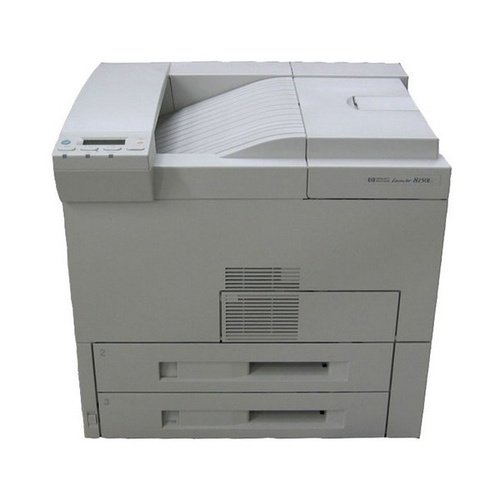
Los Angeles and Orange County HP LaserJet 8000 Printer Repair and Laser-jet 8000 Maintenance Service Error Code Repairs Los Angeles, Orange County, San Bernardino Ca! Same Day onsite Laser-Jet 8000/8000n repair and service in Southern California! We specialize on HP LaserJet 8000 printer repair and onsite printer service in Los Angeles and Orange County with image defects, vertical lines, horizontal lines, repeating dots, error messages, error codes, and maintenance errors. We provide LaserJet 8000 printer series HP 8000, 8000n and 8000dn printer repair with 57 fan error, Error 50, 50.1, 50.2 fuser errors. Our LaserJet 8000 printer service team has the technical ability to provide Laser-Jet 8000 series printer repair on the first visit. Every Hewlett Packard Laser Jet 8000 printer repair/service includes a free cleaning by HP Certified technicians. Our HP LaserJet 8000 service team carry printer repair parts and have the technical ability to fix your laser printer on the first visit. We are experts at solving HP LaserJet 8000 print defects with vertical lines, Horizontal lines, smeared prints, not bonding toner on the paper, dirty printing, repeating images and dots. We carry HP LaserJet 8000 Fuser Unit, LaserJet 8000 Maintenance Kit, Roller Kits, 8000 paper cassette trays, Registration Assembly for HP laser jet 8000, Transfer Roller, Pickup assembly for HP LaserJet 8000 series printer, HP Laser 8000 Duplex unit, HP LaserJet 8000 Formatter PCA, DC Controller and tray 1 Assembly for HP LJ 8000 series printers. We Sell Original HP LaserJet C3909a Toner Cartridge Can Be Used in 5si, 5si Mx, 5si Mopier and HP Laserjet 8000 Series Printer. The HP 09A Black LaserJet Toner Cartridge is ideal for medium-to-high-volume business users. It has been designed together to work together with the HP LaserJet 5si, 5si MX, 5si mopier printer and LaserJet 8000 printer series. The high-capacity, long-lasting cartridges offer an approximate cost-per-page of one penny, with fewer replacements and less downtime. Average cartridge yields 15,000 standard pages. Hewlett Packard Laserjet 8000 Printer Repair with 13 Paper Jam Error Codes! Hewlett Packard Laser-jet 8000 Printer Model (c4085a) HP Laser Jet 8000n Printer Specification (c4086a) HP Laser Jet 8000dn Printer Specification (c4087a) Laserjet 8000 Service Error Code Repairs in Los Angeles, Orange County & San Bernardino!! Hewlett Packard 8000 printer repair technicians will resolve hardware failures and service error codes! HP 8000 Error Messages HP LaserJet 8000 Recommended Action ACCESS DENIED MENUS LOCKED The printer control panel function that you are trying to access has been locked to prevent unauthorized access. See your network administrator. BAD DUPLEXER CONNECTION The duplexer is not connected properly. Reinstall the duplexer. CHECK INPUT DEVICE alternates with PAPER PATH OPEN PLEASE CLOSE IT The optional input tray cannot feed paper to the printer because a door or paper guide is open. Check the doors and paper guides. CHECKING PAPER PATH The engine is rolling its rollers to check for possible paper jams. DISK DEVICE FAILURE A print job requested a printer language that does not exist in the printer. The job will not print and will be cleared from memory. Print the job using a driver for a different printer language or add the requested language to the printer (if available). Press GO to continue. CHOSEN LANGUAGE NOT AVAILABLE The EIO disk had a critical failure and can no longer be used. Remove the EIO disk and replace it with a new one. DISK FILE SYSTEM IS FULL The requested operation could not be performed. You might have attempted an illegal operation, such as trying to download a file to a nonexistent directory. DISK IS WRITE PROTECTED Delete files from the EIO disk and then try again. Download or delete files from HP Jet admin and download or delete fonts from HP Font Smart. DISK FILE OPERATION FAILED The EIO disk is protected, and no new files can be written to it. Disable the write protection through HP Jet-admin. EIO DISK INITIALIZING The disk accessory card takes a long time to initialize. The first parameter (n) is the accessory slot number for this disk accessory card. EIO n DISK NOT FUNCTIONAL The EIO disk is not working correctly. EIO n INITIALIZING alternates with DO NOT POWER OFF Wait for the message to disappear (approximately five minutes). If the printer EIO card is operating correctly and communicating with the network, this message disappears after approximately one minute, and no action is required. If the EIO card is unable to communicate with the network, this message remains for five minutes and then disappears. In this case, the printer is not communicating with the network (even though the message is no longer present). The problem may be a bad EIO card, a bad cable or connection on the network, or a network problem. Contact your network administrator EIO n DISK SPINNING UP The disk accessory card takes a long time to initialize. The first parameter (n) is the accessory slot number for this accessory card. Env feeder load [Type] [Size] Load the requested envelope type and size into the envelope feeder. Make sure that the envelope size and type are set correctly from the Paper Handling Menu in the printer’s control panel. Memory storage page simplified The printer had to compress the job in order to fit it in available memory. Some data loss might have occurred. OFFLINE Press the go key to place the printer online. Output bin full clear (Bin nnn) (nnn=bin name) The output bin is full and needs to be emptied. If problem presist the output bin sensor is stuck Perform Printer Maintenance To ensure optimum print quality, the printer prompts you to perform routine maintenance every 350,000 pages. RAM DISK DEVICE FAILURE The RAM disk had a critical failure and can no longer be used. Turn the printer off and then turn the printer on to clear the message. RAM DISK FILE OPERATION FAILED The requested operation could not be performed. You might have attempted an illegal operation, such as trying to download a file to a nonexistent directory. RAM

HP LaserJet 8000, 8000n, 8000dtn printer service Read More »

HP LaserJet 5si, 5Sin, 5Si mx printer service

Authorized HP LaserJet 5si Printer Service Error Code Repairs and LaserJet 5si Repair/service Los Angeles, Orange County, San Bernardino Ca! Same Day onsite Laser-Jet 5Si maintenance service error code repair in Southern California! We specialize on HP LaserJet 5Si printer repair and onsite printer service in Los Angeles and Orange County with image defects, vertical lines, horizontal lines, repeating dots, error messages, error codes, and maintenance errors. We provide LaserJet 5Si printer series HP 5Sinx, 5Sihx and 5Simx printer repair with 57 fan error, Error 50, 50.1, 50.2 fuser errors. Our LaserJet 5Si printer service team has the technical ability to provide 5Sinx, 5Simx and 5Sihx printer repair on the first visit. Every Hewlett Packard Laser Jet printer repair/service includes a free cleaning by HP Certified technicians. Our HP LaserJet 5si service team have the technical ability to fix your 5si series printer on the first visit. We solve LaserJet 5si image defects with vertical lines, Horizontal lines, repeating dots, smeared prints, toner not bonding on the paper, dirty printing and repeating image. Our technicians carry Genuine HP LaserJet 5Si Maintenance Kit (C3971-67902) to provide fast on-site service. We sell Genuine Laser-Jet 5si toner cartridges C3909X and C3909A at 30% discount pricing. Due to a high number of printers failing with 13.1 jam and 13.2 paper jammed in the tray therefore we stock HP LaserJet 5si Paper Input Unit. HP Laserjet Perform Printer Maintenance, Perform User Maintenance Kit Error on HP Laserjet 5si If the display panel on your HP LaserJet reads Perform Printer Maintenance, Perform User Maintenance, Maintenance Kit Low, Maintenance Kit Very Low, it means your printer needs a preventative maintenance kit, which includes a fuser unit and pickup and separation rollers. Once you have installed the maintenance kit the message will only go away if you clear the maintenance count. Reset the maintenance count on HP LaserJet 5si After you install the maintenance kit, you can clear the PERFORM USER MAINTENANCE message by going to the printers control panel Configuration Menu and setting the SERVICE MESSAGE = to OFF. Note: this message will only appear in the Configuration Menu if the PERFORM USER MAINTENANCE message appears. We Stock Genuine Laserjet 5si C3909a Toner Cartridges Which Can Be Used in 5si, 5simx, 5si Mopier and Laserjet 8000 Series Printers. The HP LaserJet C3909A black toner cartridge is ideal for medium-to-high-volume business users. It has been designed together to work together with the HP LaserJet 5si, 5si MX, 5si Mopier Printer and LaserJet 8000 printer series. The high-capacity, long-lasting cartridges offer an approximate cost-per-page of one penny, with fewer replacements and less downtime. Average cartridge yields 15,000 standard pages. Hewlett Packard Laserjet 5si 13 Paper Jam Error Codes We Repair! The Laserjet 5si Printers and Their Respective Variants Were the First Printers Released in the 5si Series. LaserJet 5Si prints letter size paper at 24 pages per minute, can print at 600 dpi and more than 120 levels of gray. Resolution Enhancement Technology (REt) and micro fine toner. HP LaserJet 5si Models HP LaserJet 5si printer Specification HP LaserJet 5Si (C3124A) printer repair Laserjet 5si Print Speed: 24 ppm engine speed.40-MHz RISC processor. HP laser Jet 5si Resolution: 600 dpi and more than 120 levels of gray. Resolution Enhancement Technology (REt) and micro fine toner 5si printer Memory: Standard – 12 MB with Memory Enhancement technology (MEt) to expand the printer’s ability to handle complex PCL documents. Maximum – 76 MB with MEt.Two available SIMM slots. HP Laser-Jet 5Sinx (C3166A) printer repair HP Laserjet 5si Paper Handling: Three standard input sources with a combined capacity of 1,100 sheets:Two 500-sheet input trays supporting paper sizes up to 11 x 17/A3. One 100-sheet multipurpose tray for automatic and manual feeding, including envelopes, labels, transparencies and other special media. 600 sheets output capacity (500 face down and 100 face up)HP Laser Jet 5Si Connectivity: IEEE 1284 ECP parallel port, HP JetDirect card for Ethernet (10Base2 and 10Base-T) and LocalTalk (DIN-8) interfaces, and HP MIO expansion slot.All LaserJet 5Si interfaces are bi-directional and simultaneously active, switching automatically to the port receiving data.HP JetDirect cards also provide flash memory for future upgrades of network operating systems. HP LaserJet 5Simx C3167A printer repair 5Si Printer Connectivity: IEEE 1284 ECP parallel port, HP JetDirect card for Ethernet (10Base2 and 10Base-T) and LocalTalk (DIN-8) interfaces, and HP MIO expansion slot. All 5si printer interfaces are: bi-directional and simultaneously active, switching automatically to the port receiving data. HP JetDirect cards also provide flash memory for future upgrades of network operating systems. HP LaserJet 5Sihm C3950A printer repair Laser Jet 5si printer Connectivity: IEEE 1284 ECP parallel port, HP JetDirect card for Ethernet (10Base2 and 10Base-T) and LocalTalk (DIN-8) interfaces, and HP MIO expansion slot. All HP Laser 5Si Printer interfaces are bi-directional and simultaneously active, switching automatically to the port receiving data. HP JetDirect cards also provide flash memory for future upgrades of network operating systems. Fast On-site Laserjet 5si Numerical Service Error Codes, Maintenance Kit Errors Repair Service in Southern California! HP Certified technicians will resolve LaserJet 5si service error codes fast! HP 5si Error Messages HP LaserJet 5Si Recommended Action ACCESS DENIED MENUS LOCKED The printer control panel function that you are trying to access has been locked to prevent unauthorized access. See your network administrator. BAD DUPLEXER CONNECTION The duplexer is not connected properly. Reinstall the duplexer. CHECK INPUT DEVICE alternates with PAPER PATH OPEN PLEASE CLOSE IT The optional input tray cannot feed paper to the printer because a door or paper guide is open. Check the doors and paper guides. CHECKING PAPER PATH The engine is rolling its rollers to check for possible paper jams. DISK DEVICE FAILURE A print job requested a printer language that does not exist in the printer. The job will not print and will be cleared from memory. Print the job using a driver for a different printer language or add the requested language to the printer (if available). Press GO to continue. CHOSEN LANGUAGE NOT AVAILABLE

HP LaserJet 5si, 5Sin, 5Si mx printer service Read More »

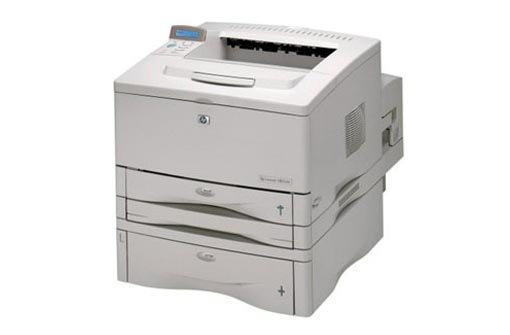
HP LaserJet 5000, 5000tn,5000gn printer service

LaserJet 5000/5000n Printer Repair, HP 5000 Service Error Code Repairs, HP 5000 Maintenance Kit Replacement and Laser Jet 5000 Repair Los Angeles, Orange County and Riverside Ca! We repair LaserJet 5000 and 5000n printers in Los Angeles, Orange County, Riverside and Inland Empire! We offer HP Laser-Jet 5000/5000n printer repair and Laser-Jet 500n printer maintenance service in Los Angeles, Orange County, Riverside and San Bernardino. Our same-day onsite HP 5000 printer service includes free cleaning in Southern California. We offer 6 months warranty on HP 5000 printer repairs in Southern California. We carry most common HP Laser-Jet 5000 printer parts to fix hardware failures with numerical error code on the first visit. Our  technicians carry Laser Jet 5000 Fuser Unit, HP 5000 Maintenance Kit, Roller Kits, paper cassette trays, roller kits and paper Pickup assembly. We stock HP 5000 parts to solve HP 5000 paper jams, print defects, vertical and horizontal lines, smeared prints, toner not bonding on the paper, image defects, dirty printing, grinding noise and repeating dots. We Sell HP LaserJet 5000 Toner Cartridges with Free Delivery in Los Angeles and Orange County! The HP C4129A and C4129X Black Laser-Jet Toner Cartridge is ideal for medium-to-high-volume business users. It has been designed to work with HP Laser Jet 5000 series printers. The high-capacity, long-lasting Average cartridge yields 5,000 pages on the 29A series and 10,000 pages on 29X series cartridges. Hewlett Packard LaserJet 5000 Printer Overview and Specifications! HP LaserJet 5000 series printers incorporate HP’s innovative technologies establishing standards for paper handling, speed, print quality, and network printer management. These printers are designed for general office, finance, CAD, and for desktop publishing, and marketing. HP LaserJet 5000 series printers provide a network printing solution that includes HP Web Jetadmin printer management software and HP Jetdirect 610n internal print servers. HP 5000 Series Printer Model HP LaserJet 5000 Printer Specification HP Laser Jet 5000 C4110A The HP LaserJet 5000 printer is a 16 ppm laser printer that comes standard with a 100-sheet multi-purpose Tray 1, 250-sheet Tray 2, and 4 MB of memory. It is designed for workgroups and can print on paper sizes up to A3 and 11 x 17 inches. HP Laser-Jet 5000n C4111A The HP LaserJet 5000n printer is a 16 ppm laser printer that comes standard with a 100-sheet multi-purpose Tray 1, 250-sheet Tray 2, a 500-sheet Tray 3, 8 MB of memory, HP Jetdirect print server card (J4169A) for network. It can print up to A3 and 11 x 17 inches. HP LaserJet 5000gn C4112A The HP LaserJet 5000 GN printer is a 16 ppm laser printer with a 100-sheet multi-purpose Tray 1, 250-sheet Tray 2, 500-sheet Tray 3, 12 MB of memory, an HP Jetdirect print server card (J4169A) and a hard drive. It can print up to A3 and 11 x 17 inches paper. HP LaserJet 5000DN C8068A The HP LaserJet 5000 DN printer is a 16 ppm laser printer with a 100-sheet multi-purpose Tray 1, 250-sheet Tray 2, 500-sheet Tray 3, a duplexer, 36 MB of memory, and an HP Jetdirect card (J4169A) It can print on paper sizes up to A3 and 11 x 17 inches. HP LaserJet5000 LE C4247A The HP LaserJet 5000LE is a 16 ppm laser printer with a 100-sheet multipurpose tray, and 4 MB of memory. It is designed for workgroups and can print on paper sizes to A3 and 11 x 17 inches. We Reset HP LaserJet 5000 Printer Maintenance Errors, Failure Error Codes and Resolve Paper Jam /jams! We specialize on HP LaserJet 5000 Printer Repair with numerical error codes and hardware failures! HP LaserJet 5000 13.1 PAPER JAM Paper delay jam at paper feed area (13.1) HP 5000 13.2 PAPER JAM Paper stopped jam at paper feed area (13.2) HP LaserJet 5000 13.5 PAPER JAM Paper delay jam at Fuser (13.05) HP 5000 13.6 PAPER JAM or Paper stopped jam at Fuser (13.06) Laser 5000 13.10 PAPER JAM Paper delay jam at paper reversing area or paper jam at duplexer. HP 5000 13.20, 13.32 Paper jam or Paper stopped jam in the paper path. HP 5000 13.21, 13.33 p aper Jam or Paper delay jam at top. 20 MEMORY alternates with the printer received more data than can fit in its available memory. 21 Page too complex alternates with press go to continue. The data (dense text, rules, and raster or vector graphics) sent to the printer was too complex. 22 EIO X Buffer overflow alternates with Press go to continue t oo much data was sent to the EIO card in the specified slot (X) 22 Parallel I/O buffer overflow alternates with press go to continue too much data was sent to the parallel port. 22 Serial I/O buffer overflow alternates with press go to continue too much data was sent to the serial port. 40 Bad serial transmission alternates with press go to continue The computer was turned on or off while the printer was online. The printer’s serial configuration was not the same as the computers. 40 EIO X BAD TRANSMISSION alternates with PRESS GO TO CONTINUE the connection has been broken between the printer and the EIO card in the specified slot. 40.1 Error EIO Slot 1 , 40.2 error EIO Slot 2 41.X PRINTER ERROR alternates with PRESS GO TO CONTINUE a temporary printing error occurred. HP 5000 41.1 Unknown misprint error, 41.2 Beam detect misprint error, 41.4 No VSYNC errors, 41.5 Media feed error and 41.9 Noise VSREQ errors. 41.3 UNEXPECTED PAPER SIZE the paper size sent to print is not the same as the settings for the tray. 41.5 MEDIA FEED ERROR Paper reached a sensor too early. 49. x SERVICE ERROR The codes following the 49. They could appear as 49.4C03 SERVICE ERROR. 50.X FUSER ERROR a Fuser error has occurred. HP LaserJet 5000 50.1 = Low Fuser temperature, 50. 2 = Fuser warm up service, 50. 3 = High Fuser temperature, 50. 4 = Low/Bad line voltage (Printer hooked up to UPS) and 50.5 =

HP LaserJet 5000, 5000tn,5000gn printer service Read More »

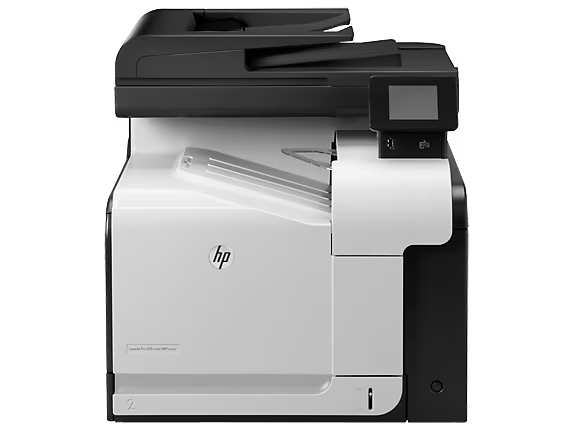
HP LaserJet 500 COLOR M575c | HP M575f mfp

Fast Onsite Authorized HP LaserJet 500 Color MFP M575/m575dn Repair and M575 MFP Maintenance Service Error Code Repairs Los Angeles, Orange County, San Bernardino Ca. Prompt onsite HP color M575mfp maintenance kits, transfer Kit, service error codes and printer repair with paper jam in Southern California! We specialize on HP LaserJet 500 Color MFP M575/M575dn printer repair in Los Angeles and Orange County with image defects, vertical lines, horizontal lines, repeating dots and printer maintenance error messages. We provide repair on LaserJet 500 Color MFP M575 and fast maintenance service in Southern California. Our technicians have the technical ability to repair 500 Color MFP M575/M575dn printers on the first visit. We stock HP 500 Color MFP M575/M575dn transfer kit CD644-67908 and Fuser Kit CE484A (110v) at discount. We carry original HP LaserJet 500 Color M570mfp/M575mfp toner cartridges at discount prices. Enterprise 500 Color MFP M575 printer repair with 13 paper jam in the fuser, fuser wrap jam, paper jam in the tray, paper jam in tray 1, paper jam above top output bin, jam in the lower right door and jam in the right door. We provide 6 months warranty on HP 500 color MFP M575 printer repair with free multi point cleaning by HP Authorized technicians. We carry most common HP LaserJet 500 Color MFP M575/M575dn printer parts to fix numerical error messages on the first visit. We stock HP 500 color MFP M575 pickup rollers and separation rollers to solve paper jam error codes. All HP Color LaserJet CP3525, CP3525n, CP3525dn, CM3530, M551, M570mfp and M575mfp most common error codes will fix by replacing the fuser unit are: 50.11 fuser error, 50.1 fuser error, 50.2 fuser error, 50.3 fuser error, 50.4 fuser error, 50.5 fuser error, 50.7 fuser error, 50.8 fuser error, 50.9 fuser error. We Specialize on LaserJet Enterprise 500 Color MFP M575 Series M575dn, M575f and HP M575c Printer Repair! 1.HP M575mfp Print Speed:Up to 31ppm (letter) black; Up to 31ppm (letter) color2.500 Color MFP M575 Print Resolution: Up to 1200 x 1200 dpi (Best) black, Up to 1200 x 1200 dpi (Best) color3.LaserJet Enterprise 500 color MFP M575 Scan Resolution: Up to 600 x 600 dpi hardware, Up to 600 dpi Optical4.HP M575mfp Standard Connectivity: Hi-Speed USB 2.0 Host, 1 Hi-Speed USB 2.0 Device, 1 Gigabit Ethernet 10/100/1000Base-TX network, 1 Foreign Interface, 1 Hardware Integration Pocket, 2 Internal USB Host5.LaserJet Enterprise 500 Color MFP M575 Duty Cycle: Up to 75,000 pages6.500 color MFP M575 duplex print options: automatic (standard)7.HP LaserJet 500 Color M575mfp mobile printing capability: HP e Print, Apple Air Print We service and repair HP LaserJet Enterprise 500 color MFP M575 in Southern California! HP LaserJet Enterprise M575mfp we service HP Color flow M575c mfp (CD646A) HP LaserJet M575dn mfp(CD644A) LaserJet enterprise M575f mfp (CD645A) We Sell Original HP Toners for HP LaserJet Enterprise 500 Color MFP M575dn LaserJet Enterprise 500 Color MFP M575 Series M575dn, M575f Printer Hardware Failures with Paper Jam Errors and Numerical Error Codes! LaserJet 500 Color MFP M575 series printer failures with service error code repairs! 10.XX.YY SUPPLY MEMORY ERROR the product cannot read or write to at least one print cartridge memory tag or a memory tag is missing from a print cartridge. Laserjet Enterprise 500 Color MFP M575 series M575dn 11.XX Internal clock error the product real-time clock has experienced an error. LaseJet Enterprise 500 Color MFP M575 series M575dn 13.XX.YY FUSER AREA JAM a jam has occurred in the fuser area. Laserjet Enterprise 500 Color MFP M575 series M575dn 13.XX.YY FUSER WRAP JAM a jam has occurred in the fuser. Laserjet 500 Color MFP M575 series M575dn 13.XX.YY JAM ABOVE TOP OUTPUT BIN a jam has occurred in the output area. Laserjet Enterprise 500 Color MFP M575 series M575dn 13.XX.YY JAM IN LOWER RIGHT DOOR a jam has occurred in the lower-right door (Tray 3). Laserjet Enterprise 500 Color MFP M575 series M575dn13.XX.YY JAM IN RIGHT DOOR a jam has occurred in the duplex and feed area inside the right door. Laserjet 500 Color MFP M575 series M575dn 13.XX.YY JAM IN TOP OUTPUT BIN a jam has occurred in the top output bin. 500 Color MFP M575 series M575dn 13.XX.YY JAM IN TRAY 1 a paper jam has occurred in Tray 1. Laserjet 500 Color MFP M575 series M575dn 13.XX.YY JAM IN TRAY a paper jam has occurred in the indicated tray. Laserjet 500 Color MFP M575 series M575dn 13.XX.YY JAMS IN RIGHT DOOR a jam has occurred in the fuser area. 20 INSUFFICIENT MEMORY The product received more data than can fit in the available memory. You might have tried to transfer too many macros, soft fonts, or complex graphics. 22 EIO X BUFFER OVERFLOW Too much data was sent to the EIO card in the specified slot (x). An incorrect communications protocol might be in use. 22 EMBEDDED I/O BUFFER OVERFLOW Too much data was sent to the embedded HP Jetdirect print server. 22 USB I/O BUFFER OVERFLOW The product’s USB buffer has overflowed. 40 EIO X BAD TRANSMISSION The connection between the product and the EIO card in the specified slot has been broken. 40 EMBEDDED I/O BAD TRANSMISSION A temporary printing error has occurred. Laserjet 500 Color MFP M575 series M575dn 41.3 UNEXPECTED SIZE IN TRAY The product detected a different paper size than expected. Laserjet 500 Color MFP M575 series M575dn 41.5 UNEXPECTED TYPE IN TRAY The product detected a different paper type than expected. Laserjet 500 Color MFP M575 series M575dn 41.7 ERROR A temporary printing error has occurred. Laserjet 500 Color MFP M575 series M575dn 48.01 TRANSFER UNIT ERROR The transfer belt has dislocated during printing. Laserjet 500 Color MFP M575 series M575dn 49.XXXX ERROR A firmware error has occurred. Laserjet 500 Color MFP M575 series M575dn 50.X FUSER ERROR A fuser error has occurred. Laserjet 500 Color MFP M575 series M575dn 51.XY ERROR A product error has occurred. Laserjet 500 Color MFP M575 series M575dn 52.XY ERROR A product error has occurred. Laserjet 500 Color MFP

HP LaserJet 500 COLOR M575c | HP M575f mfp Read More »

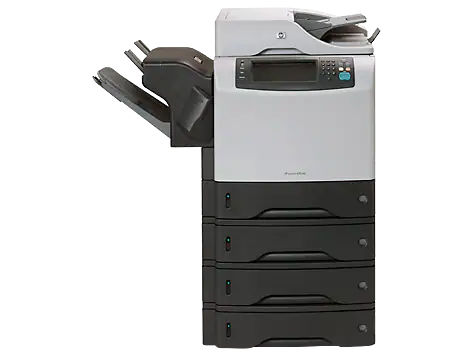
HP LaserJet 4345mfp | M4345mfp service

Fast Onsite HP LaserJet 4345mfp/m4345mfp Repair and Laser Jet 4345 Multifunction Printer Service Error Code Repairs in Los Angeles, Orange County and San Bernardino. Laser-Jet M4345MFP and 4345MFP repair with loud grinding, knocking noise & jamming/jams can be fixed by replacing the swing plate assembly! We specialize on HP LaserJet 4345MFP/M4345MFP repair and onsite maintenance service in Los Angeles and Orange County with grinding noise, image defects with vertical and horizontal lines, repeating dots, error messages and error code failures. We provide fast onsite Laser Jet 4345MFP and M4345MFP maintenance service in Southern California. Our technicians have the knowledge and technical ability to repair HP 4345MFP and M4345 multifunction printers on the first visit. We offer 6 months warranty on HP LaserJet 4345MFP and M4345MFP repair service in Southern California. We carry most common LaserJet M4345MFP and 4345MFP parts to repair numerical error code on the first visit. Our M4345MFP/4345MFP multifunction printer service technicians carry most common parts to service 4345mfp hardware failures in OC/LA. We carry Genuine HP 4345mfp fuser kit RM1-1043 and Maintenance Kit Q5998-67901 (Q5998A) for fast onsite HP 4345 multi-function printer maintenance service. Our LaserJet M4345mfp technicians carry Fuser Unit, 4345MFP Maintenance Kits, Roller Kits, paper cassette trays, Registration Assembly, Pickup assembly and duplexer or duplex unit. We offer fast onsite M4345MFP and 4345MFP multifunction printer fuser errors 50.1, 50.2, 50.3, 50.4 and 50.5 service error code repairs. We keep Laser-Jet 4345mfp toner cartridges, ADF kits and M-Kits in stock to solve image defects, paper jam error codes. We Provide Fast Onsite HP LaserJet 4345mfp / M4345mfp Multifunction Printer Repair in Southern California! HP LaserJet 4345Mfp Description HP 4345MFP Model Number HP LaserJet/Laser 4345mfp Model Number Q3942A HP Laser-Jet 4345 x mfp Printer Model Q3943A HP Laser Jet 4345xm MFP Printer Model Q3945A HP LJ 4345xs mfp Printer Model xs Q3944A. Image Defect Problems Solved by Replacing the HP LaserJet M4345 MFP and HP 4345mfp Maintenance Kit Q1860-67914 We specialize on HP Laser-Jet 4345mfp/HP M4345 MFP multifunction laser printer repair service with ghost image, paper wrinkle problem, repeating dots, printing dirty or dirty copies on page, making marks on the page or printing marks, smeared print on the page or smearing, toner rubbing off, wrinkled copies, paper accordion, paper jam in the fuser, paper jam in the tray, paper jam in the ADF and paper jam in the path. Laser Printer Services dispatch HP 4345mfp printer technicians to provide fast on-site HP LJ 4345mfp repairs/service at your home or office. Our fast onsite 4345mfp service includes a full line of HP LaserJet 4345mfp’s model Q3942A, HP laser 4345x mfp Q3943A, laser-jet 4345xm mfp Q3945A and 4345xs mfp Q3944A. Our HP LJ 4345mfp spares include fuser unit, maintenance kit, ADF feed repair Kit, feed and pickup rollers, paper tray, swing plate assembly, lifter motor and most common printer failure parts always in stock. Our HP 4345mfp printer technicians follow ALL step by step troubleshooting guides using the HP Laser Jet 4345mfp printer service manual. HP Laser Jet 4345mfp and LaserJet 4345mfp (q3942a) HP LaserJet 4345mfp 1200 x 1200 45ppm All-in-One Printer: 100-sheet multipurpose tray, 500-sheet input Tray 2 (for 600-sheet capacity), 500-sheet output tray, 50-sheet ADF, HP Jetdirect Fast Ethernet Embedded Print Server, 256 MB DDR RAM, 1 available EIO slot. HP Laser-jet 4345x MFP and Laser Jet 4345x MFP (q3943a) HP LaserJet 4345x mfp: base model plus 500-sheet input Tray 3 (for 1100-sheet capacity), automatic two-sided printing accessory, analog fax accessory HP Laser 4345xm MFP and Laser-jet HP 4345xm MFP (q3945a) HP LaserJet 4345xm mfp: base model plus 500-sheet input Tray 3 (for 1100-sheet capacity), automatic two-sided printing accessory, analog fax accessory, MFP stand with storage cabinet, 3-bin mailbox accessory How to Initialize the Hard-disk on HP LaserJet 4345mfp/m4345mfp ? HP LaserJet 4345mfp and M4345mfp Series Multifunction Printer Replacement Parts List! PART DESCRIPTION PART NUMBER HP 4345mfp Fuser Assembly, 110v RM1-1043 HP LJ 4345mfp Maintenance Kit Q5998-67901 Pickup Assembly, Tray 1 RG5-5084 Delivery Assembly RM1-1047 Laser Scanner Assembly RG5-5100 Engine Controller RG5-5359 Pickup Roller (Tray 1) RL1-0019 Pickup Roller (Tray 2) RM1-0036 Swing Plate Assy 5851-2776 Tray 2 Feed Separation Roller RM1-0037 Tray 1 Separation Pad RL1-0007 Transfer Roller RM1-1110 Toner Cartridge Q5045X ADF Fan Filter IR4041P007NI ADF Maylar Replacement PF2282K046NI ADF Pickup Roller Assembly PF2282K039NI ADF Separation Pad Assembly PF2282K035NI We Reset HP LaserJet M4345mfp and 4345mfp Printer Maintenance Error Codes and Resolve All 13 Paper Jam/jams! Using the LaserJet HP 4345 MFP help system This multi-function features a help system on the control panel that provides instructions for resolving most 4345MFP errors. Certain control-panel messages alternate with instructions about using the help system. 10.XX.YY SUPPLY MEMORY ERRORThe MFP cannot read or write to the print cartridge e-label or the e-label is missing from a print cartridge. 11.XX Internal clock error To continue touch OKThe MFP real time clock has experienced an error. HP 4345MFP error 13.JJ.NT JAM IN ENVELOPE FEEDERMedia is jammed in the envelope feeder. HP 4345MFP error 13.JJ.NT JAM IN OUTPUT BIN Media is jammed in the output bin.Use this list to determine the exact location of the jam: HP Laser jet M4345MFP/4345mfp error 13.03.00 JAM IN TRAY 1 There is a paper jam in tray 1. HP LaserJet M4345MFP/4345mfp error 13.JJ.NT JAM IN TRAY X Media is jammed in the specified tray. HP Laser Jet M4345MFP/4345mfp error 13.JJ.NT JAM INSIDE DUPLEXER Remove duplexer from lower left area M4345MFP/4345mfp Error 13.JJ.NT JAM INSIDE LEFT OUTPUT AREA Remove output bin and duplexer Media has jammed in the output area. To clear the jam, remove the output bin or the duplex printing unit. HP laser Jet 4345mfp Error 13.JJ.NT JAM INSIDE RIGHT ACCESS DOOR Open all right access doors ABOVE tray XMedia is jammed inside the jam-access door for the tray that is indicated. HP LASER-JET 4345 MFP Error 13.JJ.NT JAM INSIDE TOP COVER AREA Media is jammed in the top cover area. HP LASERJET 4345 MFP Error 13.JJ.NT JAM INSIDE TOP COVER AREA Remove print cartridgeMedia is jammed in the top cover area and remove the print cartridge to clear

HP LaserJet 4345mfp | M4345mfp service Read More »

HP LaserJet 4300 printer repair /service

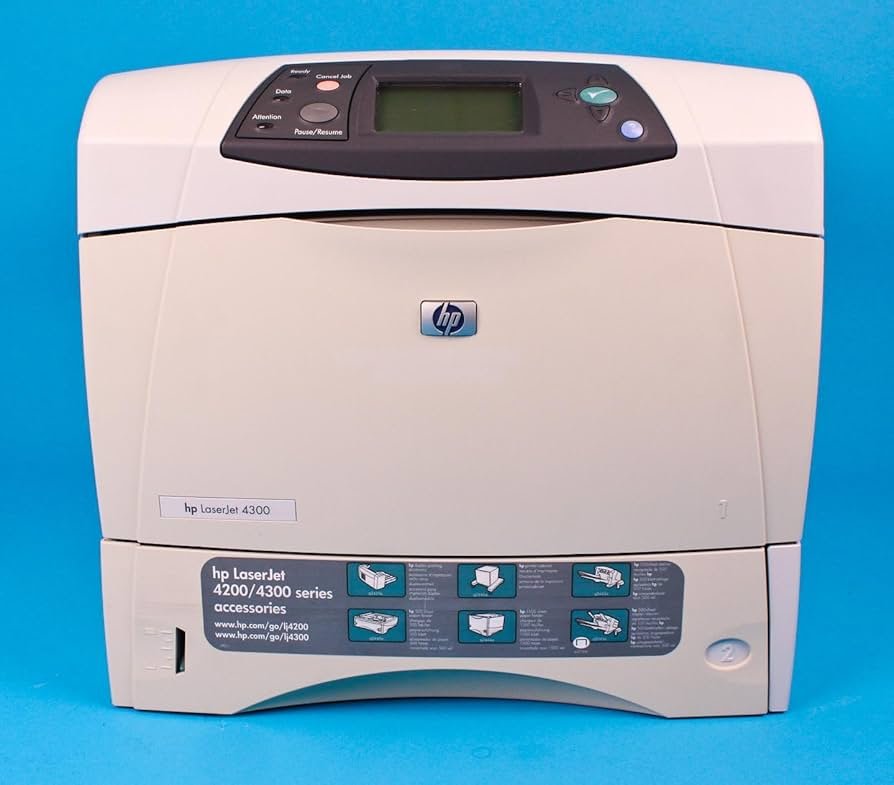
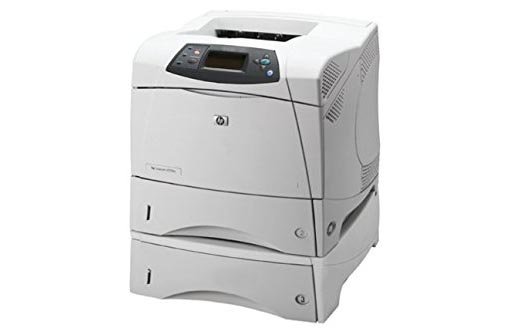
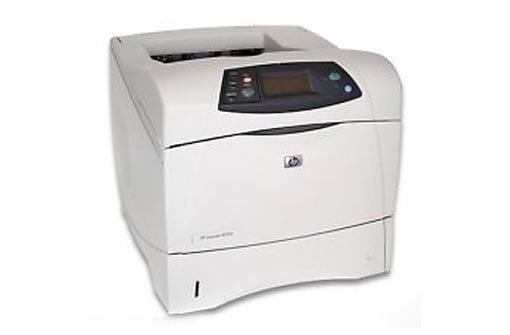
HP LaserJet 4300/4300n Printer Repair, 4300 Printer Maintenance Service Error Code Repairs in Los Angeles, Orange County, San Bernardino Ca. LaserJet 4300 printer repair with knocking noise, 4300 service with grinding noise and paper Jams! We offer LaserJet 4300 printer repair/service in Los Angeles and Orange County  with image defects, vertical lines, horizontal lines, repeating dots, error messages, error codes and maintenance errors. We provide fast onsite HP 4300 maintenance service in Southern California. Our technicians have the knowledge and technical ability to repair HP Laser-Jet 4300 printers on the first visit. We offer 6 months warranty on all HP 4300/4300n printer replacement parts in Southern California. We carry most common HP LaserJet 4300 printer parts to fix hardware failures with numerical error code on the first visit. We offer LaserJet 4300 service with smeared prints, toner not bonding to paper, dirty printing and grinding noise. Our certified printer repair technicians carry 4300 Fuser Unit, 4300 Maintenance Kit, Roller Kits, paper cassette trays, Registration Assembly and 4300 duplex unit. We offer LaserJet 4300 printer repair as well as  refurbished printer sale and original HP 39A toner cartridge sale in Southern California with 1 year warranty on parts and labor. Every Hewlett Packard 4300 printer repair includes a FREE cleaning by HP 4300 service technician. We sell original HP toner cartridges Q1339A to be used in HP LaserJet 4300 printer at discount pricing. We offer HP LaserJet 4300 printer repair with 6 months warranty on parts and labor. Our same-day onsite HP Laser Jet 4300 printer service team has the technical ability to repair 4300 printers on the first visit. We stock HP 4300 printer maintenance kits (Q2436A), HP 4300 fuser fixing units (RM1-0101) or ( Q2431-69005), HP 4300 duplexer (Q2439A) for double side printing and additional 500-sheet trays (Q2440A) for loading extra papers. We specialize on HP 4300 printer error 49.24.02, 49.C02 and 49.C06 printer error code repair at your site. HP LaserJet 4300 Print Speed Black (best Quality Mode) Up to 45 Ppm on Letter Size Paper! Resetting the maintenance-kit error messages on HP LaserJet 4200/4300 series printers! 1. Turn the HP LaserJet 4300 Printer off.2. Turn the laser-jet 4300 printer on.3. Press and hold down the checkmark (Select) button while the memory is counting.When the memory starts counting at 000MB immediately after you turn the power on.4. Continue to hold down the checkmark (Select) button until all three LEDs are illuminated.5. Release the checkmark (Select) button.6. Press the up arrow (Navigation) button until the message New maintenance kit appears on the control panel display.7. Press the checkmark button once. HP LaserJet 4300 Genuine HP Black Toner Cartridge Q1339a! Laser Printer Services sells only Genuine OEM Black HP Q1339A Toner Cartridge with 18,000 page yield. The laser toner cartridge fits the following model HP LaserJet 4300, HP Laser Jet 4300n, HP laser jet 4300tn, HP laser-jet 4300 dtn and HP Laser Jet 4300dtnsl. HP Laser Jet toner cartridge part number Q1339A. We Service 4300 Printer Paper Jam Error Codes! Call us if you are getting 13 paper Jam errors on LaserJet 4300 series printers! Why Use Laser Printer Services for All Your HP Printer, Plotter and LaserJet MFP Repairs? We stock most common printer repair parts in stock to provide LaserJet 4300 printer repair quickly and easily. No travel fee and no hourly charges for on-site HP 4300 printer service unless you have a hard to find, troubleshoot and repair your printer. All HP LaserJet printer repair parts are replaced by our trained technicians. Print Speed Of LaserJet 4300 Series Printers The HP LaserJet 4300 printer prints letter-size paper at up to 35-45 pages-per-minute (ppm) or 33 ppm-43 ppm A4-size paper. The printer produces 1200 dots-per-inch (dpi) print quality for fast, high-quality printing of business text and graphics. Paper handling on HP LaserJet 4300 series printers Trays: The printer comes with one 100-sheet tray and one 500-sheet tray. Connectivity: The printer has a parallel port for connectivity. The printer has two enhanced input/output (EIO) slots and a standard bidirectional parallel cable interface (IEEE-1284 compliant). Memory: The printer has at least 64 megabytes (MB) of random access memory (RAM), expandable up to 352 MB. To add additional memory, the printer has three dual inline memory module (DIMM) slots, available in 8, 16, 32, 64, 128, and 256 MB, for a maximum of 352 MB recognized. HP LaserJet 4300n printer features The HP LaserJet 4300n printer includes the following features of the HP LaserJet 4300 printer, plus an HP Jetdirect 10/100Base-TX print server card for network connection. 1. 16 MB additional RAM (80 MB total)2. HP Jet direct 615n internal enhanced input/output (EIO) print server3. Embedded Web server HP 4300 Series Printer Specification! HP LaserJet 4300 Printer Models HP Laser 4300 Printer Description HP LaserJet 4300 Printer Q2431A hp laserjet 4300 Base model HP Laser-Jet 4300n Printer Q2432A 80 MB RAM, expandable to 416 MBOne 100-sheet tray and one 500-sheet trayHP Jetdirect 10/100Base-TX print server for network connection HP LaserJet 4300tn Q2433A 80 MB RAM, expandable to 416 MBOne 100-sheet tray and two 500-sheet traysHP Jetdirect 10/100Base-TX print server for network connection HP LaserJet 4300dtn Q2434A 80 MB RAM, expandable to 416 MBOne 100-sheet tray and two 500-sheet traysHP Jetdirect 10/100Base-TX print server for network connectionDuplexer for automatic two-sided printing HP Laser Jet 4300dtns Q2435A 80 MB RAM, expandable to 416 MBOne 100-sheet tray and two 500-sheet traysHP Jetdirect 10/100Base-TX print server for network connectionDuplexer for automatic two-sided printing500-sheet stacker output accessory HP LaserJet 4300dtnsl Q2448A 80 MB RAM, expandable to 416 MBOne 100-sheet tray and two 500-sheet traysHP Jetdirect 10/100Base-TX print server for network connectionDuplexer for automatic two-sided printing500-sheet stacker output accessory HP LaserJet 4300 Printer Service Error Code Repair We repair All HP 4300 numerical error codes! 10.XX.YY 10:00:00 Supply memory error. The laserjet 4300 printer is unable to read the electronic information (e-label) on the print cartridge so that the printer can keep track of the page count for the print cartridge. 11.XX 11:01 Internal Clock Error:

HP LaserJet 4300 printer repair /service Read More »

HP LaserJet 4250 printer repair/service

LaserJet 4250/4250n Printer Repair, HP 4250 Service Error Code Repairs, HP 4250 Maintenance Kit, HP Q5942a/q5942x Toner Cartridge and Laser Jet 4250 Repair Los Angeles, Orange County and Riverside Ca. LaserJet 4350n, 4350tn, 4350dtn, 4350dtnsl refurbished printer sales, service and repair with warranty in Southern California! We offer HP Laser-Jet 4250 printer repair and Laser Jet 4250 maintenance service in Los Angeles, Orange County, Riverside and San Bernardino. Our same-day onsite HP 4250 service includes free cleaning on every Laser-Jet printer repair in Southern California. We carry original Laser Jet 4250 maintenance kits, toner cartridges and roller kit to solve paper jams, print defects, printer maintenance errors and vertical lines in Southern California. Our HP 4250technicians have the knowledge and technical ability to solve error code failures. Laser Jet  4250 repair with smeared prints, toner not bonding to the paper, dirty printing, image defects, grinding noise and repeating dots. We stock original HP Laser Jet 4250 Black toner cartridge (Q5942A) and HP 42X (Q5942X). We repair Laser Jet 4240/4250 knocking noise, grinding noise and 13.05/13.06 paper jam in the fuser by replacing the swing plate assembly. Our technicians fix most HP Laser-Jet 4250 printer hardware failures and numerical error codes on the first visit. We offer 6 months warranty on every Laser-Jet 4250 repair including parts and labor. Is your HP 4250 printer failing with 494C02 and 494C06 error codes? We specialize on Laser-jet 4250 firmware upgrades and solve numerical error code failures. Our printer service technicians carry 4250 maintenance kits Q5421A, 4250 duplexer Q2439B and  HP 4250 feeder assembly with 500-sheet tray Q2440A. We specialize on HP Laser-Jet 4250 printer repair with 13.1, 13.2, 13.20 paper jam error codes on the first visit Our HP 4250 printer technicians solve most image defects and paper jams by replacing the fuser unit and roller kit and maintenance kits. We specialize on HP 4250 paper jam errors, image defects and service error codes. 49.4C02, 49.4C06 errors. Most Common HP 4250 Error Codes We Repair! Is Your 4250 Printer Failing with Maintenance Service Error Code? We use original HP 4250/4350, 4200/4300 Maintenance Kit and reset the maintenance error with 6 months warranty on maintenance kits! 1. Turn the product off.2. Turn the product on.3. Press and hold down the checkmark (Select) button while the memory is counting. The memory starts counting at 000MB immediately after you turn the power on.4. Continue to hold down the checkmark (Select) button until all three LEDs are illuminated.5. Release the checkmark (Select) button.6. Press the up arrow (Navigation) button until the message New maintenance kit appears on the control panel display.7. Press the checkmark button once. Replacing Genuine 4250/4350 Maintenance Kits and Toner Cartridges Will Solve All Image Defects. We Solve LaserJet 4250 13.1, 13.2, 13.3, 13.4, 13.5, 13.6 and 13.20 Paper Jam Error Codes! HP 4250 13 paper jam error code repair in Southern California! We offer fast on-site HP LaserJet 4250, 4250n 13.01.00 paper jam in the tray, 13.02.00 Jam in the top cover, 13.02 error where media did not pass the sensor and 13.03.00 paper jam error media did not arrive at the top of page sensor. LaserJet 4250/4350 13.05 paper did not arrive at the fuser, 13.20 paper jam means the printer was turned on or when the printer was trying to initialize the sensors was detecting media present and 13.21.00 paper jam error message indicates top cover open switch was activated while printing. HP 4250 13.06.00 a page is jammed near the output door, 13.12.00 error message indicates paper jammed in the rear door and 13.12.07 indicates that there is a paper jam in the staple cartridge. All 4250 13.12.08 error message indicates output bin page-detection sensor has been active for longer than the specified time and 13.12.09 paper jam message indicates that the stapler stacker paper inlet sensor has been active for longer than a specified time. 4520 13.12.10 paper jam message on the display denotes a page did not arrive at the stacker and 13.12.11 indicates a jam was detected when the stapler stacker power was turned on. Laser-Jet 4250/4350 service error code 13.1C.00 indicates a paper jam paper wrapped around the fuser and 13.98.00 error means the face up tray was opened when the printer was attempting to send a page to the duplexer. HP LaserJet 4250 Printer Series – Overview and Features HP 4250 FEATURES HP LASERJET 4250 SERIES PRINTER DESCRIPTION PRINT TECHNOLOGY Monochrome laser printer PRINT SPEED HP LaserJet 4250 Printer series: A4: Up to 43 ppm; HP LaserJet 4350 Printer series: A4: Up to 52 ppm First page out: Less than 8 sec Exact speed varies depending on the system configuration, software program, and document complexity. PROCESSOR 460 MHz, 20KC MIPS Microprocessor MEMORY RAM HP LaserJet 4250 Printer: 48 MB; HP LaserJet 4250n/tn Printer: 64 MB; HP LaserJet 4250dtn/dtnsl Printer: 80 MB HP LaserJet 4350 Printer: 64 MB; HP LaserJet 4350n/tn Printer: 80 MB; HP LaserJet 4350dtn/dtnsl Printer: 96 MB Expandable to 512 MB through 2 industry-standard DIMM slots using Double Data Rate memory technology Optional: 20 GB HP high-performance EIO hard disk. PRINT QUALITY Up to 1200 x 1200 dpi (HP Pores 1200), HP Fast res 1200 PRINTER LANGUAGES HP PCL 6, HP PCL 5e, HP Postscript Level 3 Emulation, PDF 1.3 ECONOMICAL PRINTING Return to powersave mode after print job due to instant-on technology (saving energy, and reducing costs), duplex and N-up printing more than one page on a single sheet (saves paper) MONTHLY DUTY CYCLE HP LaserJet 4250 Printer series: Up to 200,000 pages per month, HP LaserJet 4350 Printer series: Up to 250,000 pages per month PAPER HANDLING Base/n: 100-sheet multipurpose tray, 1 x 500-sheet input tray, optional: 500-sheet or 1500-sheet tray (up to a maximum of 3,100 sheets), duplexer, 500-sheet stacker, stapler/stacker (up to 15 pages stapler/up to 500-sheet stacker). tn: same as base/n, plus 1 x 500-sheet input tray, optional: 500-sheet or 1500-sheet tray, duplexer, 500-sheet stacker, stapler/stacker (up to 15 pages stapler/up to 500-sheet stacker). dtn: same as tn, plus duplexer,

HP LaserJet 4250 printer repair/service Read More »

HP LASERJET 4200 PRINTER REPAIR, 4200 MAINTENANCE SERVICE

HP LaserJet 4200/4200n Printer Repair, 4200 Printer Maintenance Service Error Code Repairs in Los Angeles, Orange County, San Bernardino Ca. HP 4200 printer repair, 4200 maintenance service and HP 4200 repairs in Southern California! HP LaserJet 4200 printer repair and LaserJet 4200n printer maintenance service in Los Angeles, Orange County, Riverside and San Bernardino. Our same-day onsite 4350 printer service includes free cleaning on every LaserJet printer repair in Southern California. We specialize on HP LaserJet 4200 printer repair and maintenance service  with image defects, vertical lines, horizontal lines, smears, blotches, repeating dots and 4200 maintenance service error messages. We offer Laser Jet 4200 printer maintenance service in Southern California. We have the technical ability to repair Laser-Jet 4200 printers on the first visit.We carry most common HP 4200 printer parts to solve 4200 printer hardware failures and service errors on the first visit. We offer 4200 repair  printer repair with defects, smeared prints, toner not bonding to the paper, dirty printing and image defects with grinding noise and repeating dots. We stock LaserJet 4200 Fuser Unit, HP 4200 Maintenance Kit, Roller Kits, paper cassette trays, Registration Assembly, Pickup assembly, HP 4200 Duplex unit. HP LaserJet 4200 Printer Overview and Laser Jet 4200 Printer Specification! The HP LaserJet 4200 series is a business class printer that is an excellent choice for small or large business. Easily customizable this HP laser printer is ideal for workgroups that require network capability, paper handling options and finishing accessories. This high performance HP Laser 4200 printer was designed to quickly and efficiently print large size documents with print engine speeds of up to 35 pages per minute. First page out is less than 9 seconds with a processor speed of 300MHz. The monthly duty cycle is rated at 200,000 pages. The LaserJet 4200 series is a monochrome high resolution (1200×1200) laser printer. The standard model has two paper trays but can be expanded up to four paper trays for large workgroups. The on-board memory is 64MB that is expandable up to 416MB for large print files, such as PDFs and Graphics. Connectivity consists of IEEE 1284-compliant parallel interface, optional Ethernet 10/100-TX internal print server, and 1 open optional EIO slot. How to Replace HP LaserJet 4200 Maintenance Kits? We replace and reset the maintenance-kit error messages on HP LaserJet 4200/4300 series printers! 1. Turn the HP LaserJet 4200 printer off.2. Turn the HP 4200 printer on.3. Press and hold down the checkmark (Select) button while the memory is counting. The memory starts counting at 000MB immediately after you turn the power on.4. Continue to hold down the checkmark (Select) button until all three LEDs are illuminated.5. Release the checkmark (Select) button.6. Press the up arrow (Navigation) button until the message New maintenance kit appears on the control panel display.7. Press the checkmark button once. Genuine HP Q1338a Black Toner Cartridge! We offer Genuine HP Q1338A toner cartridges for LaserJet 4200 printer for sale with 12,000 page yield. The original Q1338A toner cartridge fits all models of LaserJet 4200, 4200n, 4200tn, 4200dtn and 4200dtnsl printers. HP Laser Jet toner cartridge part number Q1338A is to be used on HP LaserJet 4200 series printers. Most Common 13 Paper Jam Error Codes on LaserJet 4200 Printers We specialize on HP LaserJet 4200 13 paper jam error code repairs! HP LaserJet 4200/4200n 13 Paper Jam Error Code Repair on the First Visit! We provide HP LaserJet 4200 printer 13.01 paper jam in the tray, 13.02, 13.03, 13.20 and 13.21 paper jam in the top cover area, 13.6 and 13.12 paper jam inside rear door, 13.12.07 jam in the stapler. Laser Printer Services specialize on HP 4200 printer repair with paper jam errors 13.12.08, 13.12.09, 13.12.10 and 13.12.11 in the output device, 13.13.00 paper jammed in the duplexer, 13.10.00 paper jam in the fuser and 13.98.00 open the input trays then open and close the top cover. All HP LaserJet 4200 Enterprise Printer Repair in Southern California! HP LaserJet4200 Printer Models HP Laser-Jet 4200 Printer description HP LaserJet 4200 Printer Q2425A Base Model Only Parallel interface HP LaserJet 4200n Printer Q2426A Base model plus 16 MB additional memory and HP Jetdirect 10/100Base-TX print server card HP Laser 4200tn Q2427A Base model plus 16 MB additional memory, HP Jetdirect 10/100Base-TX print server card, and additional 500-sheet tray HP Laser 4200dtn Model Q2428A Base model plus 16 MB additional memory, HP Jetdirect 10/100Base-TX print server card, additional 500-sheet tray, and duplex printing accessory HP Laser Jet 4200dtns Q2446A Base model plus 16 MB additional memory, HP Jetdirect 10/100Base-TX print server card, additional 500-sheet tray, duplex printing accessory, and stacker HP LaserJet 4200dtnsl Q2447A Base model plus 16 MB additional memory, HP Jetdirect 10/100Base-TX print server card, additional 500-sheet tray, duplex printing accessory, and stapler/stacker We Specialize on HP Laser-jet 4200 Printer Repair with Maintenance Error Code Failures! HP LaserJet 4200 service error codes we repair in Southern California! 10.XX.YY 10:00:00 Supply memory error. The laserjet 4200 printer is unable to read the electronic information (e-label) on the print cartridge so that the printer can keep track of the page count for the print cartridge. 11.XX 11:01 Internal Clock Error: This message is displayed when there is a problem with the real-time clock in the HP 4200 printer. 13.XX.YY duplex job interrupted: There was an error while the HP laserjet 4200 printer was printing duplex job. 13.XX.YY jam in the top cover area Paper has jammed in the top-cover area of the HP 4200 printer. 13.01, 13.03 JAM IN TRAY. There is a paper jam in one of the trays/open and close the top cover. 13.02, 13.05, 13.20, 13.21 Jam in the top cover area.There is a Paper jam in the top-cover area. NOTE: 13.20 is a false paper jam error and there is a paper jammed behind the tray 1 assembly 13.06/13.12 Jams/Jam inside rear door There is a paper jam inside or outside the rear door of the LaserJet 4200 printer. Paper may not have exited the printer. 13.12.07 Jam in

HP LASERJET 4200 PRINTER REPAIR, 4200 MAINTENANCE SERVICE Read More »