LaserJet Printer Repair

Printer Repair

HP LaserJet P3005, P3005n, HP P3005tn printer service

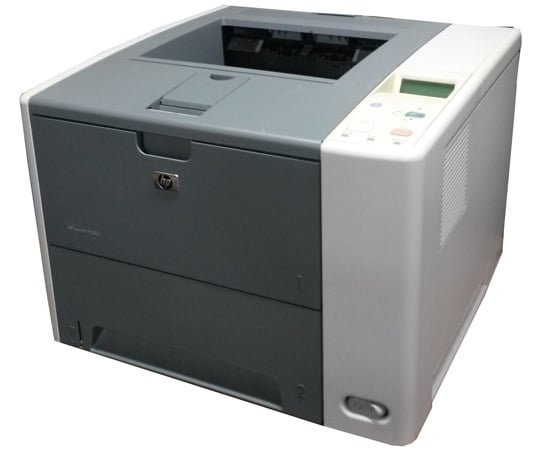
Fast Onsite Authorized HP LaserJet P3005/p3005n Printer Repair and Maintenance Service Error Code Repairs Los Angeles, Orange County, San Bernardino Ca. We repair HP LaserJet P3005/P3005n/P3005dtn grinding noise, print defects, RFU errors on the first visit! Laser Printer Services provides HP LaserJet P3005 printer repair and maintenance service in Los Angeles, Orange County, Riverside and San Bernardino. We carry P3005 maintenance kits and toner cartridges to repair your HP P3005 printer on the first visit. We provide P3005 printer repair with grinding noise. We specialize on fast onsite HP P3005 printer repair service in Southern California. Our technicians have the knowledge and technical ability to repair Laser-Jet P3005 printers on the first visit. Every Hewlett Packard P3005 printer repair/service includes a free multi point cleaning by certified HP technician with 6 months warranty on parts and labor. Our onsite HP printer service technicians carry most common HP P3005 printer repair parts and have the technical ability to fix most HP P3005 printer malfunctions on the first visit. We carry genuine HP LaserJet p3005 51A and 51X black toner cartridge Q7551A and Q7551X toners. The HP LaserJet P3005 (m-kit) Maintenance Kit for P3005 Is Compatible with M3027mfp & M3035mfp Series Printers! We offer fast on-site multiple printer repair discount on HP Laser P3005printer repair/service in Southern California. Genuine HP LaserJet P-3005 Maintenance Kit part number HP P-3005 always in stock to provide fast on-site service. Genuine HP P3005 laserjet printer Cartridge Q7551A and Q7551X toner cartridges at 30% discount price call (800) 815-2737. Is Your Refurbished HP P3005 Printer Toner Cartridge Failing with 10.32.yy Unauthorized Supply and 10.xx.yy Supply Memory Error! We sell Original HP LaserJet toner cartridges for HP Q7551A with Average cartridge yields 6,500 pages on the 51A series and Q7551X Black LaserJet Toner Cartridge prints 13,000 pages on 51X series cartridges. Original Hewlett Packard toners are ideal for medium-to-high-volume business users. It has been designed to work with HP LaserJet P3005, HP M3027mfp and LaserJet M3035mfp multifunction series printers. The high-capacity, long-lasting cartridges offer an approximate cost-per-page of one penny, with fewer replacements and less downtime. HP Laser Jet P3005 Printer Specifications, Accessories, Supplies and Services! HP P3005 Printer Models HP Laser Jet P3005 Printer Difference Print Speed (Black, Normal Quality, A4) Up to 33 ppm First page out black (A4, ready) As fast as 9.5 sec Print Speed Footnote Exact speed varies depending on the system configuration, software application, and document complexity. Print Quality (Black, Best Quality) class=”listtext2″>Up to 1200 x 1200 dpi Print technology Monochrome Laser pages per month Up to 100000 pages Duty cycle note Duty cycle is defined as the maximum number of pages per month of imaged output. This value provides a comparison of product robustness in relation to other HP LaserJet or HP Color LaserJet devices, and enables appropriate deployment of printers and MFPs to satisfy the demands of connected individuals or groups. Recommended monthly page volume 1500 to 5000 Recommended monthly page volume note HP recommends that the number of printed pages per month be within the stated range for optimum device performance, based on factors including supplies replacement intervals and device life over an extended warranty period. Standard memory 48 MB Maximum memory 320 MB Processor speed 400 MHz Standard Printer Languages HP PCL 6, HP PCL 5e, HP Postscript Level 3 emulation, direct PDF printing v1.4 (with at least 128 MB of printer memory) Standard Paper Trays 2 Maximum Number of Paper Trays 3 Paper Handling Standard/Input 100-sheet multi-purpose tray, 500-sheet input tray Paper Handling Optional/Input < Optional third 500-sheet paper tray Paper Handling Standard/Output 250-sheet output bin, 100-sheet rear output bin Duplex Print Options Manual (driver support provided) Standard Media Sizes A4, A5, B5 (JIS), letter, legal, executive Custom Media Sizes Multi-purpose tray: 76 x 127 to 216 x 356 mm Media Types supported Paper (bond, colour, letterhead, plain, preprinted, prepunched, recycled, rough), envelopes, labels, cardstock, transparencies, user-defined Finished output handling Sheetfed Standard connectivity IEEE 1284-B compliant parallel port, Hi-Speed USB 2.0 port, 1 open EIO slot Optional connectivity HP Jetdirect internal print servers; HP Jetdirect external print servers; HP wireless print servers; HP Secure High Performance EIO Hard Disk J8019A (CPE OZ firmware of 10.1 or higher required). For more information on available HP networking solutions visit http://www.hp.com/go/jetdirect Media Weights by Paper Path Tray 1: 60 to 200 g/m² (straight through paper path for special media and heavier stock); tray 2, 3: 60 to 120 g/m² Minimum System Requirements Microsoft® Windows® 2000, XP Home, XP Professional: 1 GHz processor, 512 MB RAM (Windows VistaTM, check user guide for minimum hard drive space); 333 MHz processor, 64 MB RAM; Server 2003: 550 MHz processor, 128 MB RAM; 200 MB of available hard disk space (all systems) Minimum system requirements for Macintosh Mac OS X v 10.2.8, 10.3.9, 10.4.3; 200 MB available hard disk space; USB (compatible with USB 2.0 specifications) port; CD-ROM drive Compatible Operating Systems Microsoft® Windows® 2000, XP Home, XP Professional, Server 2003; Certified for Windows Vista™; Mac OS X v 10.2.8; Mac OS X v 10.3.9; Mac OS X v 10.4.3 Mac Compatibility Yes HP LaserJet P3005 Printer Models Difference at a Glance! HP P3005 Printer Models HP Laser Jet P3005 Model Difference HP LaserJet P3005 Printer (Q7812A) HP LaserJet P3005 printer: print speed of up to 33 ppm, 1200 dpi print resolution, 32 MB memory, 400 MHz processor, parallel & Hi-Speed USB 2.00 connectivity, standard input capacity of 500-sheets, 100-sheet multipurpose tray HP LaserJet P3005 Printer (Q7813A) HP LaserJet P3005d printer: as base model with 48 MB memory and built-in automatic two-sided printing unit HP LaserJet P3005 Printer (Q7814A) HP LaserJet P3005n printer: as base model with 64 MB memory and HP Jetdirect Fast Ethernet embedded print server HP LaserJet P3005 Printer (Q7815A) HP LaserJet P3005dn printer: as base model with 64 MB memory, HP Jetdirect Fast Ethernet embedded print server and built-in automatic two-sided printing unit HP LaserJet P3005 Printer (Q7816A) HP LaserJet P3005x printer: as base model with 64 MB memory,

HP LaserJet P3005, P3005n, HP P3005tn printer service Read More »
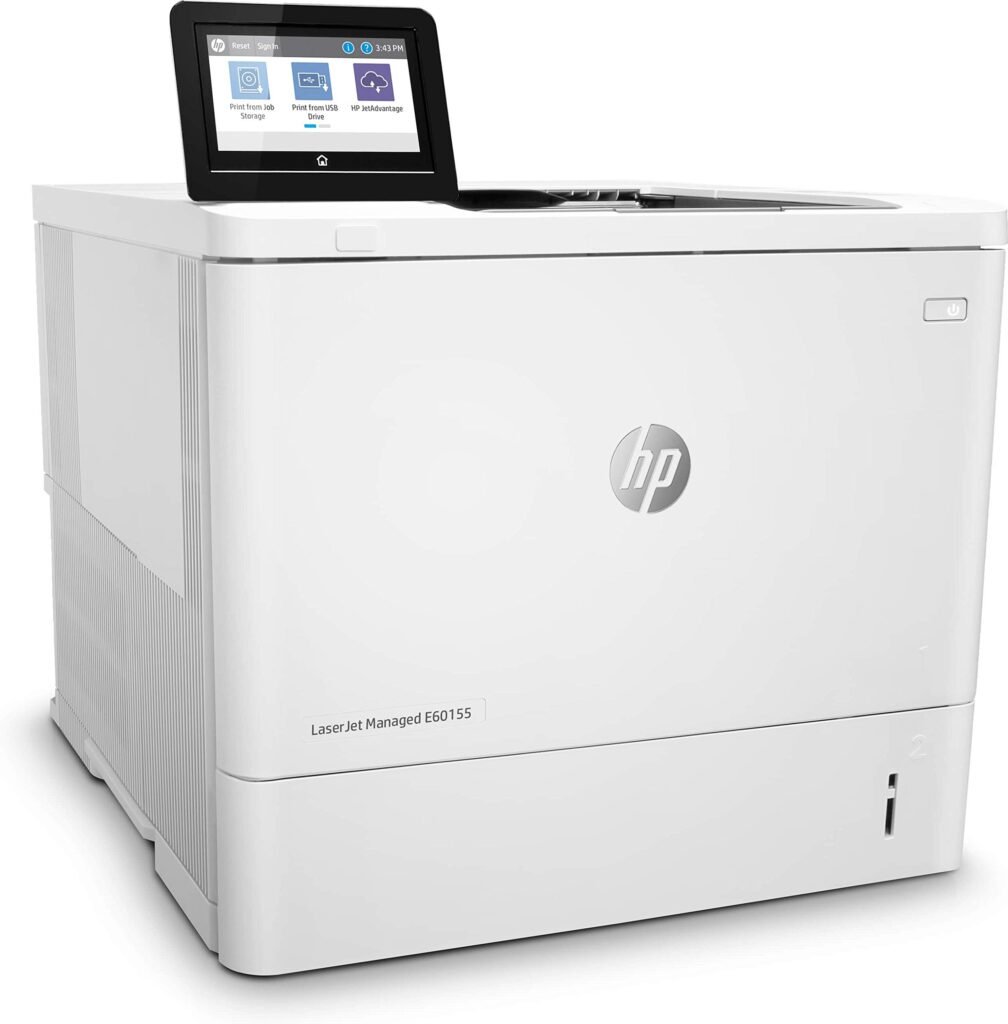
HP LaserJet Managed E60155, E60165, E60175

HP Laser-jet Managed E60155, E60165 and E60175 Printer Repair/original HP Toner Cartridges, HP Managed E60155, E60165 and E60175 Maintenance Service Error Code Repairs and Fuser Kit Sale, HP Managed E60155, E60165 and E60175 Repair Los Angeles, Orange County and Riverside County! Hewlett Packard Managed E60155, E60165 and E60175 service error code repairs and HP Managed E60155, E60165 and E60175 new and refurbished printer sale near you in Southern California! HP Laser-Jet Managed E60155, E60165 and E60175 printer repair/service in Los Angeles, Orange County and Riverside. We specialize on HP managed E60155, E60165 and E60175 on-site repair in Los Angeles and Orange County with image defects, vertical lines, horizontal lines, repeating dots, error messages, error codes and maintenance errors. We provide fast onsite HP managed E60155, E60165 and E60175 maintenance service in Southern California. Our technicians have the knowledge to repair HP managed E60155, E60165 and E60175 printers on the first visit. We offer 6 months warranty on all Laser-Jet Managed E60155, E60165 and E60175 replacement parts in Southern California. We carry most common HP Managed E60155, E60165 and E60175 parts to fix hardware failures with numerical error code on the first visit. Managed HP E60155, E60165 and E60175 image defects and paper jams can be solved by replacing maintenance kit. We repair HP Managed E60155, E60165 and E60175 service with smeared prints, toner not bonding to paper, dirty printing and grinding noise. Our certified printer repair technicians carry Managed E60155, E60165 and E60175 Fuser Unit, Maintenance Kit, Roller Kits and paper cassette trays. HP Laser-jet Managed E60155, E60165 and E60175 Printer Technical Specification Connectivity specifications Connectivity features Model E60155dn, E60165dn, E60175dn(Product # 3GY09A, 3GY10A, 3GY12A) 10/100/1000 Ethernet LAN connection with IPv4 and IPv6 Included Hi-Speed USB 2.0 Included Easy-access USB port for printing without a computer and upgrading the firmware Included Hardware Integration Pocket for connecting accessory and third-party devices Included HP Internal USB Ports Optional HP Jet direct 2900nw Print Server accessory for wireless connectivity Optional HP Jet direct 3100w BLE/NFC/Wireless Accessory for printing from mobile devicesnote: Connected via the Hardware Integration Pocket or the rear host USB port. The HP Jet-direct 3100w BLE/NFC/Wireless Accessory requires the HP Internal USB ports accessory. Optional Other Specifications Feature Model E60155dn, E60165dn, E60175dn(Product # 3GY09A, 3GY10A, 3GY12A) Memory: 512 MB memory, expandable to 1.5 GB by adding 1 GB DIMM Included Memory: HP Secure High-Performance Hard Disk Optional Security: HP Trusted Platform Module for encrypting all data that passes through the printer Included Control panel: Constant-view color touchscreen control panel Included Supported operating systems Linux: For information and print drivers for Linux, go to www.hp.com/go/linuxprinting. UNIX: For information and print drivers for UNIX®, go to www.hp.com/go/unixmodelscripts. The following information applies to the printer-specific Windows HP PCL 6 print drivers, HP print drivers for mac OS, and to the software installer. Windows: Download HP Easy Start from 123.hp.com/LaserJet to install the HP print driver. Or, go to the printer-support website for this printer: www.hp.com/support/ljE60155, www.hp.com/support/ljE60165, or www.hp.com/support/ljE60175 to download the print driver or the software installer to install the HP print driver. Mac-OS: Mac computers are supported with this printer. Download HP Easy Start either from 123.hp.com/LaserJet or from the Printer Support page, and then use HP Easy Start to install the HP print driver. Supported operating systems and print drivers Operating system Print driver (for Windows, or the installer on the web for macOS) Windows 7, 32-bit and 64-bit The “HP pcl 6” printer-specific print driver is installed for this operating system as part of the software installation. Windows 8, 32-bit and 64-bit The “HP PCL 6” printer-specific print driver is installed for this operating system as part of the software installation. Windows 8.1, 32-bit and 64-bit The “HP PCL-6” V4 printer-specific print driver is installed for this operating system as part of the software installation. Windows 10, 32-bit and 64-bit The “HP PCL-6” V4 printer-specific print driver is installed for this operating system as part of the software installation. Windows Server 2008 R2, SP 1, 64-bit The PCL 6 printer-specific print driver is available for download from the printer-support website. Download the driver, and then use the Microsoft Add Printer tool to install it. Windows Server 2012, 64-bit The PCL 6 printer-specific print driver is available for download from the printer-support website. Download the driver, and then use the Microsoft Add Printer tool to install it. Windows Server 2012 R2, 64-bit The PCL 6 printer-specific print driver is available for download from the printer-support website. Download the driver, and then use the Microsoft Add Printer tool to install it. Windows Server 2016, 64-bit The PCL 6 printer-specific print driver is available for download from the printer-support website. Download the driver, and then use the Microsoft Add Printer tool to install it. macOS 10.12 Sierra, macOS 10.13 High Sierra Download HP Easy Start from 123.hp.com/LaserJet, and then use it to install the print driver. note: Supported operating systems can change. note: For a current list of supported operating systems, go to www.hp.com/support/ljE60155, www.hp.com/support/ljE60165, or www.hp.com/support/ljE60175 for HP’s all-inclusive help for the printer. note: For details on client and server operating systems and for HP UPD driver support for this printer, go to www.hp.com/go/upd. Under Additional information, click the links. Minimum system requirements Windows macOS Internet connectionDedicated USB 1.1 or 2.0 connection or a network connection2 GB of available hard-disk space1 GB RAM (32-bit) or 2 GB RAM (64-bit) Internet connectionDedicated USB 1.1 or 2.0 connection or a network connection1.5 GB of available hard-disk space The Windows software installer installs the HP Smart Device Agent Base service. The file size is approximately 100 kb. Its only function is to check for printers connected via USB hourly. No data is collected. If a USB printer is found, it then tries to locate a Jet Advantage Management Connector (JAMc) instance on the network. If a JAMc is found, the HP Smart Device Agent Base is securely upgraded to a full Smart Device Agent from JAMc, which will then allow printed pages to be accounted for in a Managed Print Services (MPS) account. The driver-only web packs downloaded from hp.com for the printer and installed through the Add Printer wizard do not install this service. To uninstall the service, open the Control Panel, select Programs or Programs and Features, and then select Add/Remove Programs or Uninstall a Program to remove the service. TMANAGED he file name is HP Smart Device Agent Base.

HP LaserJet Managed E60155, E60165, E60175 Read More »

HP LaserJet M806dn/M806x+ printer repair

HP LaserJet M806/m806n Printer Repair,m806 Printer Maintenance Service and LaserJet M806 Repair Los Angeles, Orange County and San Bernardino Ca. We repair Laser Jet M806dn/M806x+ in Southern California! Laser-Jet M806, M806dn,  M806X+ printer repair and maintenance service in Los Angeles and Orange County with image defects, vertical and horizontal lines, repeating dots and Image fuser kit replacement service. Our Laser Jet M806 printer service technicians are highly trained to troubleshoot and replace faulty image fuser kit, registration assembly, toner cartridges and roller kits. Fast onsite Laser Jet M806dn/M806x+ maintenance service in Southern California. Our HP M806 technicians have the knowledge to repair M806dn/M806x+ printers on the first visit. We offer 6 months warranty on HP M806 repair service in Southern California. We carry Laser-Jet M806dn/M806x+ parts to solve hardware failures and  numerical error code on the first visit. We repair HP M806dn/M806x+ smears, toner not bonding to paper, dirty printing and grinding noise. Our technicians carry M806 Fuser Unit, M806 Maintenance Kit, Roller Kits, paper cassette trays, Registration Assembly and M806 duplex unit. We Carry Toner Cartridges and Maintenance Kits for LaserJet M806 Printers! Is your Laser-Jet m806 or M830mfp failing with maintenance kit error code. We carry Laser-Jet M806 original Maintenance kits and toner cartridges to solve HP M806 and M830mfp   image defects and paper wrinkles. We stock Laser Jet M806dn/M806x Maintenance kit C2H67A and toner cartridge CF325x. Common error codes can be fixed by replacing the Maintenance Kit! HP M806/M830mfp error code 50.11 fuser. error 50.1 fuser error 50.2 fuser error 50.3 fuser error 50.4 fuser error 50.5 fuser error 50.7 fuser error 50.8 fuser error 50.9 fuser error. We Repair Laser Jet M806 Printer Service Code Messages Some control-panel messages and event log entries refer to a specific product sensor or switching the recommended action to solve the problem. See the diagrams in the clear jams section of the product troubleshooting manual for sensor and switch locations. 10.XX.YZ Error Messages 10.00.00 e-Label Memory Error Description The product is unable to read the cartridge data.This message indicates that the product cannot read or write to the e-label of the toner cartridge.This error can cause the supplies status feature to be disabled. Recommended action 1. Open the front door, lower the green handle, and then remove the toner cartridge. 2. Check the cartridge e-label. If it is damaged, replace the cartridge. 3. Reinsert the cartridge, push the release button, and then rotate the green handle to the locked position. 4. Close the front door. 5. If the message displays again, turn the product off then on. 6. If the error persists, replace the toner cartridge. 10.00.10 e-Label Missing Memory Error Description The product is unable to detect the e-label.This message indicates that the product has determined that the e-label is missing.This error can cause the supplies status feature to be disabled.Recommended action 1. Open the front door, lower the green handle, and then remove the toner cartridge. 2. Check the cartridge e-label. If it is damaged, replace the cartridge. 3. Reinsert the cartridge, push the release button, and then rotate the green handle to the locked position. 4. Close the front door. 5. If the message displays again, turn the product off then on. 6. If the error persists, replace the toner cartridge. 7. If the error persists, reconnect the connector (J304) on the DC controller PCA 10.00.50 Cartridge seal roll up error Description The product encountered a toner cartridge roll up error.Recommended action 1. Reinstall the cartridge. 2. Turn the product off and then on. 3. Reconnect the connector (J305) on the DC controller PCA. 4. Replace the cartridge sensor assembly. 5. Replace the DC controller PCA. 10.23.50 Description The fuser kit life was reset above the order threshold Recommended action No action necessary. 10.23.51 Description The fuser kit life was reset above the replace threshold.Recommended action No action necessary. 10.23.52 Description The fuser kit life was reset above the reset threshold.Recommended action No action necessary. 10.23.70 Printing Past Very Low Description The product indicates when the fuser kit is very low. The actual remaining fuser kit life might vary.You do not need to replace the fuser kit at this time unless print quality is no longer acceptable. After an HP supply has reached the very low threshold, the HP premium protection warranty ends.Recommended action If print quality is no longer acceptable, replace the fuser kit.See the parts chapter in the service manual for the fuser kit part number. Advise the customer that HP recommends that they have replacement supplies available to install when the print quality is nolonger acceptable.1 0.32.00 Unauthorized supply Description This error message displays when a supply (or supplies) has been inserted into the product and the product determines that HP is in the OEM field, but the supply (or supplies) does not pass the new authentication test.This error will only be shown if the product currently has all genuine supplies.Recommended action Choose to continue past this error by touching OK.If you believe you purchased a genuine HP supply, go to www.hp.com/go/anti counterfeit. Any product repair required as a result of using non-HP or unauthorized supplies is not covered under warranty. 10.XX.33 Used Supply In Use Description The toner cartridge is used. 10.00.33 (event code) Used toner cartridge Recommended action If you believe this is a genuine HP supply, go to www.hp.com/go/anticounterfeit.Using a cartridge that is near its end-of-life can cause this event code. 10.XX.34 Used Supply In Use Description The toner cartridge is used.10.00.34 (event code) Black toner cartridge Recommended action If you believe this is a genuine HP supply, go to www.hp.com/go/anticounterfeit.Removing a cartridge from one product and then installing it in a different product (for testingfunctionality) will cause this event code. 10.XX.40 Genuine HP Supplies Installed Description A genuine HP toner cartridge has been installed.10.00.40 (event code) Black toner cartridge Recommended action No action necessary. 10.XX.41 Unsupported Supply in Use Description The installed toner cartridge is for a different product.10.00.41 (event code) Black toner cartridge Recommended action Remove the toner cartridge, and then

HP LaserJet M806dn/M806x+ printer repair Read More »

HP LASERJET M750 PRINTER REPAIR – M750 MAINTENANCE SERVICE LOS ANGELES & ORANGE COUNTY!

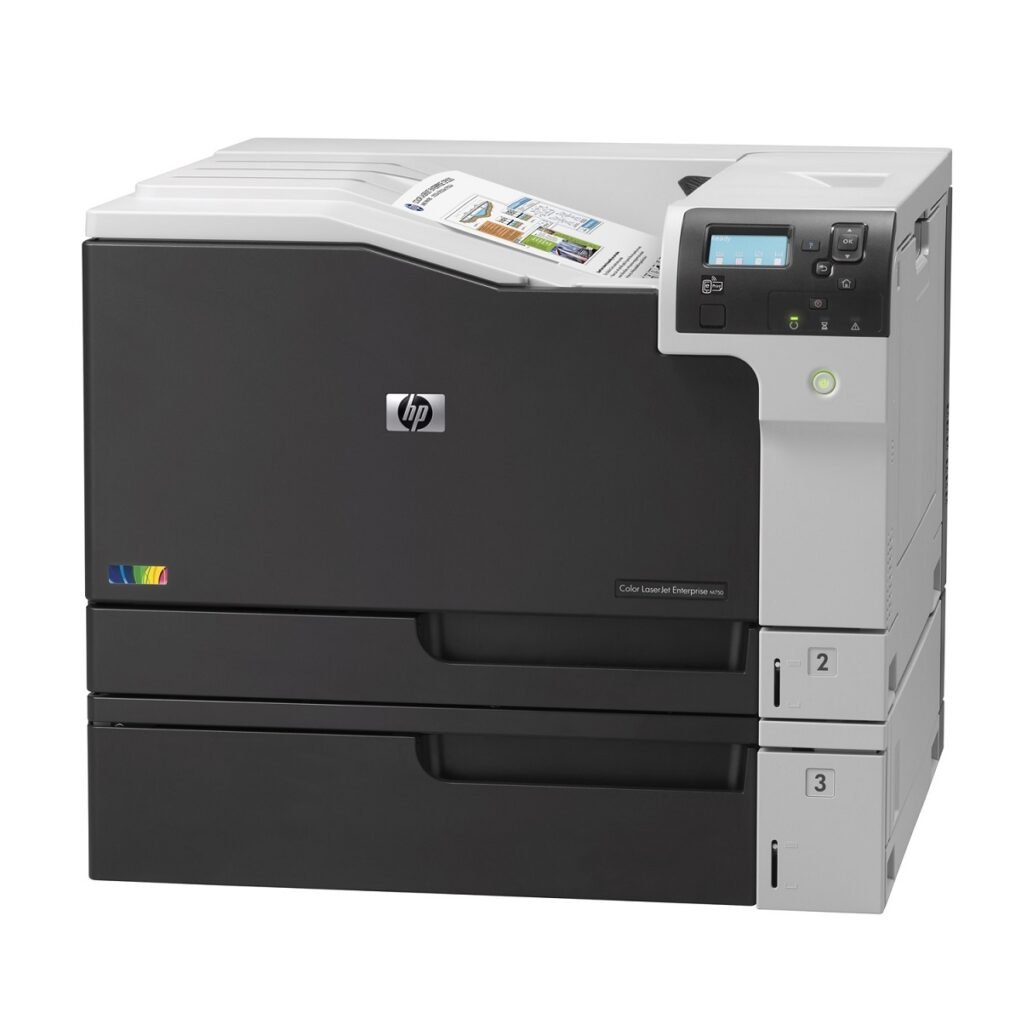
Color LaserJet M750 Printer Repair, M750 Printer Service Error Code Repair and Laser-jet M750 Repair Los Angeles, Orange County, Inland Empire and Riverside Ca. HP Color laserJet M750 printer repair and M750 printer service in Southern California! WE offer HP Color LaserJet M750 repair in Los Angeles, Orange County and Riverside. Our technicians specialize on Color Laser Jet M750 printer repairs in Southern California. We offer Color Laser Jet M750 printer repair and stock most Color Laser-Jet toners and image transfer kits to provide image defect problems quickly.Our technicians carry all the right parts to provide Color Laser-Jet M750n maintenance service on the first visit. We offer fast onsite Color Laser Jet M750 repair services at no hidden charges or travel fees. We are best Color Laser Jet M750 printer repair Company of Southern California. We now sell fully refurbished Color Laser-Jet M750 printers with 1 year onsite warranty. HP Color LaserJet Enterprise M750 Printing Specifications LaserJet M750 prints cardstock Data sheet for HP Color LaserJet Enterprise M750 Printer series Print large volumes of professional-quality documents in sizes from postcard up to SRA3. Maintain. productivity with intuitive management tools and get convenient printing from laptops, smartphones and tablets Enable color printing from postcards to posters ● Expand your business options: print presentations, high impact reports and marketing materials on a wide range of media types and sizes – from postcards to SRA3 media. Enable easy printing from smartphones, tablets and laptops at work, home or on-the-go● Easily integrate gigabit networking and robust security options into your printing fleet.● Supervise printing fleets remotely using intuitive management tools. Control color printing usage and costs. ● Quickly print using the easy access USB port. Keep sensitive data safe with the HPHigh-Performance Secure Hard Disk Produce high-volume print jobs without frequent paper changes, with a paper capacity of up to 2,350 sheets. ● Improve efficiency with a printer that automatically recognizes paper size and type for best printing results.●Increase efficiency and versatility with automatic two-sided printing Color LaserJet Enterprise M750 Printer Series M750n • M750dn • M750xh Print large-volumes of professional-quality color documents on a wide range of paper sizes. Maintain productivity with intuitive, easy-to-use management tools. Conveniently print directly from laptop PCs, smartphones or tablets. Print speed (letter): Enable color printing from postcards to posters Print speed (letter): Up to 30 ppm (black); Up to 30 ppm (color) Enable color printing from postcards to posters.Print on a wide variety of paper sizes—from 3 x 5-inch postcards to 12.6 x 17.72-inch SRA3 media.Run high-volume print jobs without frequent paper changes—850-sheet capacity is expandable to 2350 sheets.6Improve efficiency with a printer that automatically recognizes paper size and type for best printing results. Increase efficiency and versatility with automatic two-sided printing. Get great color prints plus uncompromised speed.Print documents rapidly—up to 30 ppm letter/A4.7Get a first page out in as fast as 10 seconds with Instant-on Technology.Get consistent print quality automatically on text, images and graphics with HP EasyColor and HP ImageREt.Achieve sharp contrast and vivid color with the high-gloss toner in Original HP LaserJet print cartridges. Count on a printer that is easy to use and manage.Enable easy printing from smartphones, tablets and laptops at work, home, or on-the-go.1Easily integrate enterprise-ready gigabit networking and robust security options into your printing fleet.Supervise printing fleets remotely using intuitive management tools. Control color printing usage and costs.Print quickly and easily using the convenient easy access USB port. Minimize your environmental impact. Reduce packaging waste with pre-installed toner cartridges—no boxes, wrappers or manuals. Reduce your impact on the environment and use up to 50 percent less paper with automatic two-sided printing. Get free and easy recycling—cartridges returned through HP Planet Partners are recycled responsibly.

HP LASERJET M750 PRINTER REPAIR – M750 MAINTENANCE SERVICE LOS ANGELES & ORANGE COUNTY! Read More »

HP LaserJet M607, M608, M09 printer repair/service Los Angeles, Orange County

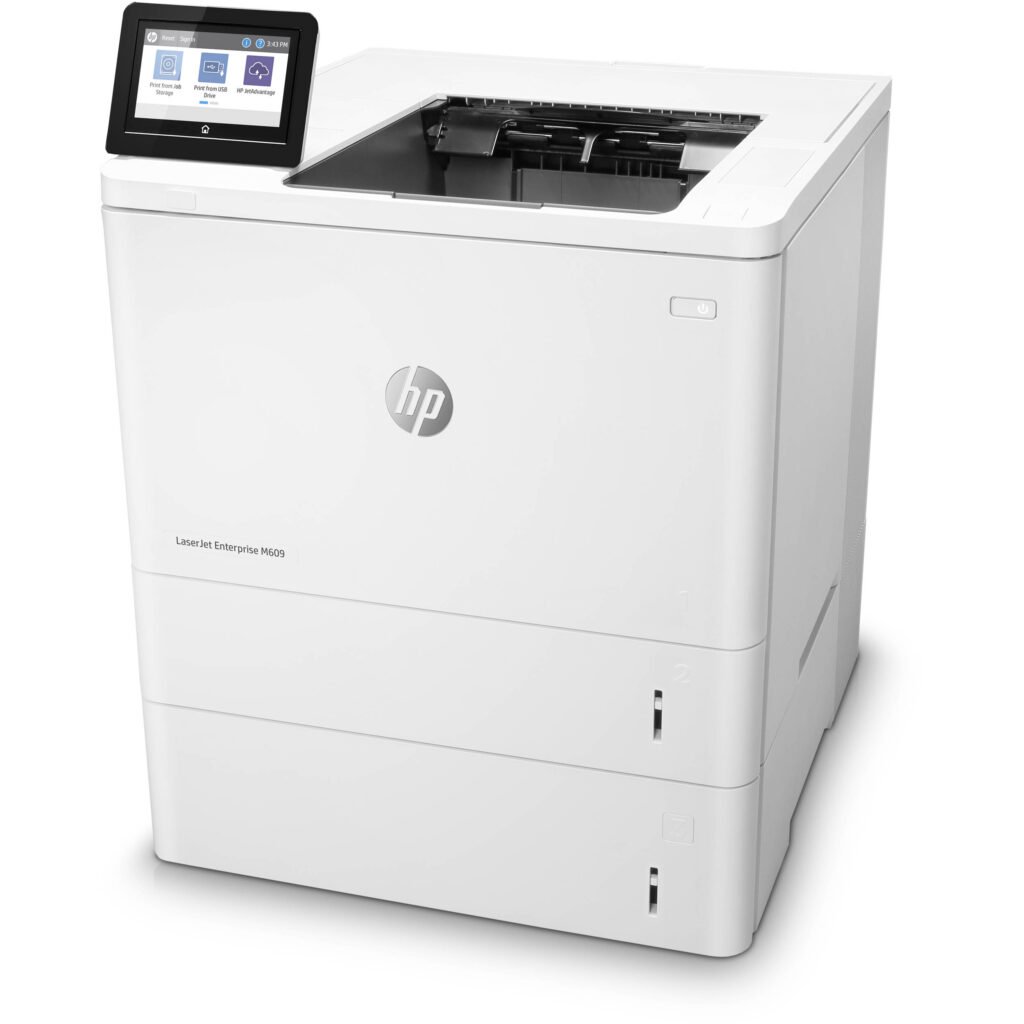
Laser-jet M607/m608/m609 Printer Repair/ Original HP Toner Cartridges for Sale, HP M607, M608 and M609 Maintenance Service and Fuser Kit Sale. Laser-jet M607, M608 and M609 Repair Los Angeles, Orange County and Riverside County! We repair LaserJet M607, M608, M609 printers with 13.FF.FF error, 13.WX.FF error, 13.WX.YZ error, 52.XX.00 scanner error, 57.00.0Y fan error and 60.00.02 lifter motor error. HP Laser-Jet M607, M608 and M609 printer repair/service in Los Angeles, Orange County and Riverside. We offer HP M607, M608 and M609 repair with paper jams,  Lines, dots and blotches in Southern California. Our technicians have the knowledge to repair M607n, M607dn, M608n, M608dn, M608x and M609dn, M609x printers on the first visit. Laser-Jet M607, M608, M609 printer service error code repairs Los Angeles, Orange County and Riverside. HP M607n, M607dn, M608n, M608dn, M608x and M609dn, M609x repair and maintenance kit service and paper jams. We offer 6 months warranty on Laser-Jet M607, M608 and M609 repair services. We carry most common HP M607, M608 and M609 parts to repair hardware failures and numerical error code on the first visit.  Based upon your M607, M608 and M609 numerical error code failures. We stock ample parts to repair your HP M607, M608 and M609 printers failing with error codes in Southern California. We stock  M607/M608/M609 Maintenance Kit part # L0H24A. Our HP certified printer technicians carry M607, M608, M609 Fuser Units, Maintenance Kit, Roller Kits, paper cassette trays and Registration Assembly. HP Laser Jet M607607dn, M608dn, M608x and M609dn, M609x Printer Overview and Laser Jet M607 Series M608 and M609 Printer Specification! HP Laser-Jet Enterprise M607, M608 and M609 series printer repairs and maintenance services Office Black and White Laser Printers HP Laser-Jet Enterprise M607n(K0Q14A)M607DN (K0Q15A#BGJ) | M608N (K0Q17A#BGJ) M608DN (K0Q18A#BGJ) | M609dn K0Q21A#BGJ M609x K0Q22A#BGJ |This HP LaserJet Printer with Jet-Intelligence combines exceptional performance and energy efficiency with professional-quality documents right when you need them—all while protecting your network from attacks with the industry’s deepest security. Features The world’s most secure printing1 With HP Sure Start, each printer regularly checks its operating code and repairs itself from attempted hacks. Run-time intrusion detection continually monitors to detect and stop attacks, then automatically reboots. Centralize control of your printing environment with HP Web Jet-admin—and help build business efficiency.2 Give work-groups what they need to succeed. Easily choose and deploy over 175 HP and third-party solutions. High-speed performance meets energy efficiency This printer wakes up fast and prints your first page faster—in as quickly as 7.8 seconds.4 This printer uses exceptionally low amounts of energy thanks to its innovative design and toner technology.5 Paper handling options include a wheeled stand and 550-sheet input feeder for paper sizes 4 x 6″ to legal. More. Performance and Protection. Produce sharp text, bold blacks, and crisp graphics with precision black toner. Help retain the Original HP quality you paid for with anti-fraud and cartridge authentication technology. Help retain the Original HP quality you paid for with anti-fraud and cartridge authentication technology. HP LaserJet M607, M608 and M609 Toner Cartridges for Sale! We sell M607, M608, M609 regular, xtra and High yeild toners Original HP 37A Black Toner Cartridge Black GSA elegantly enhances the look with its compact design Delivers maximum current of 550 A Compatible Printers HP 37X High Yield Black Toner Cartridge Yields up to 25,000 One Black Ink Cartridge Black HP 37Y Extra High Yield Black Toner Cartridge Yields up to 41,000 pages Black toner  Cartridge Compatible Printers HP LaserJet Enterprise M607, HP M608 and M609 Printer Series at a Glance and Specifications Technical Specification for LaserJet M607/M608/M609 pinters Technical Specification for LaserJet M607, M608 and M609 printers! HP Laser Jet M607/M608 network model HP Laser Jet M607,M608,M609 duplex model HP Laser M608x/M609x Printer Part Number M607n, M608n M607dn, M608dn, M609dn M608x. M609x Model Name K0Q14A, K0Q17A K0Q15A, K0Q18A, M0P32A, K0Q21A K0Q19A, K0Q22A Paper handling Tray 1 (100-sheet capacity)Tray 2 (550-sheet capacity) √√ √√ 1×550-sheet paper feeder  NOTE:The printer supports as many as six input trays. Optional Optional √ 2,100-sheet high-capacity feederNOTE:This accessory can be combined with as many as three 1×550-sheet feeders. Optional Optional Optional Automatic duplex printing Not Supported √ √ Envelope feeder cassette for printing up to 75 envelopes Optional Optional Optional Connectivity 10/100/1000 Ethernet LAN connection with IPv4 and IPv6 √ √ √ Hi-Speed USB 2.0 Easy-access USB port for printing and scanning without a computer and upgrading the firmware √ √ √ Hardware integration pocket (HIP) for connecting accessory and third-party devices √ √ √ HP internal USB ports Optional Optional Optional HP Jetdirect 3000w NFC/WIreless Accessory for printing from mobile devices Optional Optional Optional HP near field communication (NFC) and Wi-Fi Direct accessory for printing from mobile devices Optional Optional Optional HP Jetdirect 2900nw Print Server accessory for wireless connectivity Optional Optional Optional Memory 512 MB memory, expandable to 1.5 GB by adding 1 GB DIMM √ √ √ HP Secure High-Performance Hard Disk Optional Optional Optional Security HP Trusted Platform Module for encrypting all data that passes through the printer Optional Optional Optional Control-panel display and input Color keypad control panel √ √ Not supported Print Prints 52 pages per minute (ppm) on A4 and 55 ppm on letter-size paper HP 607N HP 607dn Prints 61 ppm on A4 and 65 ppm on letter-size paper HP 608N HP 608dn HP 608X Prints 71 ppm on A4 and 75 ppm on letter-size paper HP 609n HP 609X  Easy-access USB printing (no computer required) √ √ √ HP LaserJet Enterprise M607, M608 and M609 Printer Service Error Code Repairs! We repair HP M607, M608 and M609 numerical error codes! Most Common LaserJet M607, M608 and M609 Onsite Service and Repair Near Los Angeles and Orange County! HP LaserJet M607, M608, M609 series Printer Parts HP M607, M608, M609 Part Numbers LaserJet M607, M608, M609 series Fuser Assy (110V) RM2-1256 HP LaserJet M600 series maintenance kit LOH24A Tray 1 Roller Kit J8J70–67903 Tray 2–X Roller Kit J8J70–67904 Laser Scanner Assembly RM2-0906 Registration Assy RM2-6774 Paper Delivery Assy (Non LCD Simplex Models) RM2-6787 Paper Delivery Assy (LCD

HP LaserJet M607, M608, M09 printer repair/service Los Angeles, Orange County Read More »

HP LaserJet M604, M605 and M606 printer sale

HP Laser-jet Enterprise M605n E6b69a, M605dn E6b70a Sale, M606n E6b71a, M606dn E6b72a Printer for Sale $899.00 Every refurbished Laser Jet M605 and M606 printer products are fully refurbished with firmware updates and sold in excellent condition with 1 year warranty or you can extend it to 2 years of warranty. Laser Printer Services provides Laser Jet M604, M605 and M606 printer sale, service and repairs.  We sell fully refurbished M605n E6B69A, M605dn E6B70A, M606n E6b71A and M606dn E6B72A printers with 1 year warranty or you can pay extra for 2 years of extended warranty. When you purchase refurbish Laser-Jet M605 and M606 printer we install a genuine CE3 90A 100% toner cartridge for free. Do not use refurbish toners it will void your warranty. Please call to purchase original HP 90A or 90X toners. Most refurbish or aftermarket toner cartridge usually damage the printers moving parts and prematurely fails to print to the end of cartridge life. Please do not use aftermarket or refurbish toners on any of our refurbish HP M605/M606 printers this will void your 1 year warranty. If you print over 225,000 pages and the REPLACE MAINTENANCE KIT appears on your printer display, you will have to pay for the maintenance kit. LaserJet M605n E6b69a Printer Sale, M605dn E6b70a Printer Sale, M606n E6b71a Printer Sale and M606dn E6b72a Printer Sale Near You in Southern California!. LaserJet M605/m606 Fully Refurbished Like New Are Sold and Delivered in Southern California! We deliver refurbish Laser Jet M605 and M606 printers near you in Los Angeles, orange County and Riverside All pre-owned HP M605 and M606 has been professionally repaired, cleaned and tested by Laser Printer Services qualified technicians.Our refurbished Laser Jet M604, M605 and M606 are in excellent conditions and they all have low page counts. It shows very little signs of cosmetic damage visible from a distance of one feet. This Certified Refurbish product is tested and certified to work like new. The refurbishing process includes testing all printer functions, Preventive Maintenance cleaning and inspection. The product will be delivered and setup with 1 year warranty on parts and labor. Refurbish HP Laser-Jet Enterprise M605n/M605dn and M606n/M606dn comes with original HP CE390A toner cartridge which is rated to print 12,000 pages. We replace all wear and tear parts to ensure best quality refurbished HP M605 and M606 printers we ell in Southern California. Every refurbished Laserjet M605/M606 printer is thoroughly tested to meet and exceed the quality.

HP LaserJet M604, M605 and M606 printer sale Read More »

HP LaserJet M601, M602, M603 printer service

HP LaserJet M601, M602 and M603 Printer Repair and Maintenance Service with Error Codes Near You in Los Angeles, Orange County, San Diego, Ca. HP Laser-Jet M601, M602 and M603 repair as well as refurbished M601, M602 and M603 printer sale with 1 year warranty! Laser Printer Services specializes on HP M601, M602 and M603 printer repair and maintenance service with error code and paper jams. We offer free cleaning on every HP M601, M602 and M603 repair and maintenance service in Southern California. Fast on-site HP M601, M602 and M603 printer repair near you in Southern California with image defects, vertical lines, horizontal lines, repeating dots, error messages, error codes and maintenance errors. We offer Laser-Jet M601, M602 and M603 paper jam error codes 13.00.00, 13.00.EE, 13.A3.FF, 13.D3.DZ, 13.E5.FF, 13.EA.EE, 13.EE.FF, 13.FF.EE, 13.FF.FF, 13.WX.EE, 13.WX.FF, 13.WX.YZ fuser area jam, 13.2B.9Z, 13.WX.YZ Jam in Tray 1, 13.B2.D1 Our technicians have the knowledge to repair HP M601, M602 and M603 printers on the first visit. Our technicians carry most common replacement parts to solve M601, M602 and M603 hardware and numerical error codes. We stock HP laser jet M601, M602 and M603 optional 500 Sheet Feeder and Tray CE998A. We Carry Original LaserJet 600 M601/m602 and M603 Maintenance Kit to Provide Fast Onsite Service in Southern California We use original M601, M602, M603 maintenance kits to solve error 50.22.00, 50.22.11, 50.32.11 and 50.72.11 fuser errors. All genuine HP We stock Genuine HP M601, M602 and M603 printer maintenance kit CF064A to solve error 50.22.00, 50.22.11 in Southern California. We solve LaserJet M600 series printer failing with 50.32.11 and 50.72.11 fuser errors. Our technicians carry Maintenance Kits part number CFO64A to solve M602, M602 and M603 maintenance kit error. We provide M601, M602,  M603, M604, M605 and M606, m607, M608, M609 Error: 13.WX.YZ Fuser Area Jam,  Error Code: 10.23.35 an incompatible fuser is in use and Error: 10.26.15 the M601/M602and M603 indicates the maintenance need to be replaced. HP LaserJet Enterprise 600 M601, M602 and M603 Automatic Duplexer for Two-sided Printing Accessory : Cf062a HP M600 Duplexer CF062A Compatibility – HP LaserJet Enterprise 600 Printer M601 series, M602 series, M603 series. HP LaserJet P4014 series, HP P4015 series and P4510p printer series. HP LaserJet M601, M602 and M603 500-sheet Input Tray Feeder Ce998a HP LaserJet p4014, p4015 500 sheet tray feeder CE998A – HP LaserJet Enterprise 600 Printer M601 series; HP LaserJet Enterprise 600 Printer M602 series; HP LaserJet Enterprise 600 Printer M603 series; HP LaserJet P4014 Printer series; HP LaserJet P4015 Printer series; HP LaserJet P4510 Printer series HP LaserJet M601, M602 and M603 Original HP Toner Cartridges for Sale at Discount Pricing We Beat Amazon and Staples Prices Guaranteed and Same-day or Next Day Free Delivery! We carry HP CE390A and CE390X Black toner cartridge with free delivery in Los Angeles and Orange County at discount price. These Cartridges are designed to work with HP LaserJet M601, M602 and M603 series printers. We sell high-capacity, long-lasting Average cartridge yields 12,000 pages on the 90A series and 24,000 pages on 90X series cartridges. Supply Memory error Code: 10.00.35 An incompatible supply or refurbished toner cartridge is installed on HP M601, M602 and M603 printer. We solve 10.00.35 error by using original toner cartridge on M601, M602 and M603 printers. HP LaserJet Enterprise 600 LaserJet M601, HP M602 and M603 Printer Series at a Glance and Specifications The LaserJet M600 prints at 52 pages per minute on Letter size paper! HP LaserJet M602n Printer HP Laser Jet M602dn Printer HP Laser M602x Printer Part Number CE991A CE992A CE993A Print speeds Up to 52 ppm letter Up to 52 ppm letter Up to 52 ppm letter Control panel 4-line color display, 10 key pad 4-line color display, 10 key pad 4-line color display, 10 key pad Hardware Integration Pocket √ √ √ 100-sheet multipurpose tray 1 √ √ √ 500-sheet tray 2 √ √ √ 500-sheet tray 3 Optional Optional Optional 500-sheet output bin √ √ √ Automatic two-sided printing unit √ √ √ Toner cartridges supported Regular 90A 10,000 pages 90X high-capacity 24,000 pages Regular and high-capacity Regular and high-capacity HP Laser Jet 600 Series Printer Keeps Your Workflow Moving with Fast Output and Precision Paper Handling. The HP LaserJet Enterprise 600 Takes the Lead in Meeting Company Wide Conservation Goals, with Energy-saving Features from HP LaserJet M601, M602 and M603 Printer Repair/service. Lead Your Business with HP Laser M601, M602 and M603 Printer to a More Responsible Approach to Printing and Handling Sensitive Data The HP Laser-jet/laser M601, M602 and M603 Printer Extend Your Print Capabilities to Keep Pace with Your Growing Business The LaserJet M601, M602 and M603 printer easily update, manage, and expand the capabilities of networked printers, and do more with your investment. Laser Jet M600 series printer make printing as mobile as you are with HP ePrint. Hewlett Packard M600 enterprise M600 series printers M601, M602 and M603 extend your investment by adding functionality using the hardware integration pocket. LaserJet 600 Enterprise M601, M602 and M603 Printer Service Error Code Repairs! We repair HP M600 series M601, M602 and M603 numerical error codes! Most Common HP LaserJet 600 M601, M602 and M603 Printer Parts in Stock to Provide, Fast Onsite Service in Los Angeles and Orange County! HP LaserJet M601, M602, M603 series Printer Parts HP M601, M602, M603 Part Numbers HP LaserJet M600 series Fixing Assembly, Fuser Unit 110V CE988-67901, RM1-8395 HP LaserJet M600 series maintenance kit CF064A, CF064-67901 Tray 1 Roller Kit  CB506-67905 Laser Scanner Assembly RM1-8406 Formatter Assembly  CE988-67912 Main Motor Drive Gear Assembly Duplex Unit/Duplexer  CF062A Transfer Roller Assembly  CE988-67903 / RM1-8491-000CN. 500-Sheet Tray Assembly  CE998A Optional 500-sheet Paper Tray  RM1-4559 Tray 2 Separation Rollers Tray 2 Pickup Roller Delivery Assembly RM1-8414 Transfer Roller Kit CE988-67903, RM1-8491 HP Black Print Cartridge High Yeild High Yield HP Toner CE390X HP Black Print Cartridge regular HP CE390A

HP LaserJet M601, M602, M603 printer service Read More »

HP LaserJet 9000, 9000tn, 9000dtn printer service

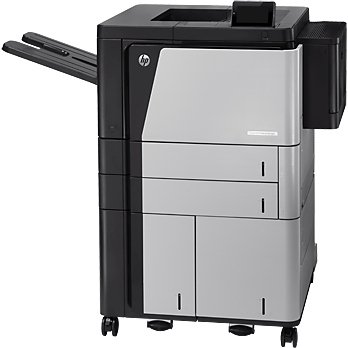
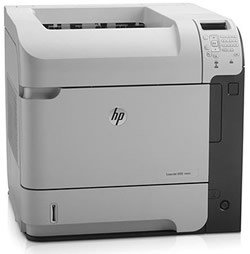
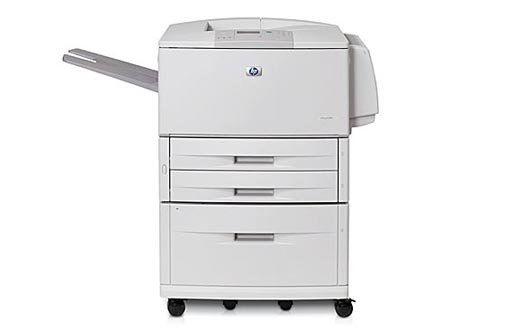
Fast Authorized HP LaserJet 9000/9000n Printer Repair and 9000 Maintenance Service Error Code Repairs in Los Angeles, Orange County, Riverside County and San Bernardino Ca. Los Angeles, Orange County and San Bernardino LaserJet 9000 printer repairs and Maintenance Service. We specialize on HP LaserJet 9000 printer repair and onsite service in Los Angeles and Orange County with image defects, vertical lines, horizontal lines, repeating dots, error message and maintenance errors. We provide fast onsite Laser Jet 9000 printer maintenance service in Southern California. Our technicians have the knowledge and technical ability to repair Laser-Jet 9000 printers on the first visit. We offer 6 months warranty on all LaserJet 9000/9000n printer repair service in Southern California. We carry most common HP LaserJet 9000 printer parts to fix hardware failures with numerical error code on the first visit. We sell genuine HP 43X toner cartridges to be used in LaserJet 9000, 9040 and 9050 printers. We also sell fully refurbished Laser-Jet 9000 printers with 1 year warranty on parts and labor. We uses original 9000 toners and maintenance kits to solve image defects with vertical lines, Horizontal lines, smeared prints, toner not bonding to the paper, dirty printing, image defects and grinding noise from the fuser unit. Our onsite printer technicians carry original LaserJet 9000 fuser unit, Maintenance Kit, Roller Kits, paper cassette trays, Registration Assembly, cartridge drive, paper pickup assembly, 9000 duplex unit and formatter boards to serve you faster. Los Angeles and Orange County Laserjet 9000 Printer Repair and Service. We provide HP LaserJet 9000 series printer maintenance service and repairs! HP LaserJet 9000 Printer Description HP Laser Jet 9000 Model Numbers HP LaserJet 9000 printer repair Model Number C8519A HP Laser-Jet 9000n printer repair Printer Model C8520A HP LaserJet 900dtn repair/service Printer Model C8521A HP LaserJet 9000hns printer repair Model Number C8522A. Hewlett Packard Laserjet 9000 Printer Specifications HP LaserJet 9000 Printer Printer specifications   Print speed, black (best quality mode) Up to 50 ppm First page out, black 8 sec processor speed 300 MHz Recommended monthly volume, maximum 300,000 pages Print quality, black FastRes (1200 dpi quality), 600 x 600 dpi Print technology Laser Duplex (printing on both sides of paper) Automatic (standard) Memory, std. 128 MB Memory, max. 384 MB Memory slots 3 100-pin DIMM slots Connectivity, std. IEEE 1284-compliant bidirectional parallel, HP Jetdirect 615n (EIO) print server for Fast Ethernet 10/100Base-TX in 1 EIO slot, hard disk in EIO slot Connectivity, optional HP Jetdirect 615n (EIO) internal print servers, external print servers, Fast Infrared Connect, and Jetdirect connectivity card with serial, USB, and LocalTalk connectivity Connectivity, optional HP PCL 5e, HP PCL 6, PostScript® Level 3™ emulation Print languages, std. HP PCL 5e, HP PCL 6, PostScript® Level 3™ emulation HP Laserjet Printer Repair/service in Southern California! HP LaserJet printer repair in Los Angeles, Orange county and San Bernardino, Ca! We Specialize on HP 9000 Printer Repair with Numerical Error Code Failures and Paper Jams in Southern California! Our HP LaserJet 9000 field service technicians will resolve ALL service error Codes Parts List for HP Laserjet 9000 Series Printer We Service and Repair in Los Angeles and Orange County! PART DESCRIPTION PART NUMBER HP LaserJet 9000 Fixing Assembly 110Volts RG5-5750 LaserJet 9000 Maintenance Kit 110 Volts C9152A Pickup Assembly HP LaserJet 9000 RG5-5681 Delivery Drive Assembly, Fuser Delivery Assembly RF5-5659 Feed/Separation Rollers RF5-3338 Tray 2/3 Pickup Roller RG5-3340 Roller, Pick-Up, optional Tray 1 Assembly RF5-3403 Laser-Jet 9000 optional Tray 1 Roller RF5-3403 Roller Separation optional Tray 1 LaserJ 9000 RF5-3404 Laser 9000 Registration Assembly RG5-5663 LJ 9000 Transfer Roller Assembly RG5-5662 LaserJet 9000 Toner Cartridge C8543X 200-sheet Feeder RG5-6228 Hp LaserJet 9000 DC Controller RG5-5778 HP LaserJet 9000 Formatter Board C8519-67901 Paper Tray (Cassette), 500 Sheet (Tray 2 and 3) RG5-5635-050 LaserJet 9000 Scanner Assembly RG5-5826

HP LaserJet 9000, 9000tn, 9000dtn printer service Read More »

HP LaserJet 8150mfp | HP 8150 multifunction printer service

Authorized HP LaserJet 8150 MFP Service Error Code Repairs and Laser-jet 8150 MFP Multifunction Printer Repair/service in Los Angeles, Orange County, and San Bernardino! LaserJet 8150mfp repair and maintenance service in Southern California! We specialize on HP LaserJet 8150 printer repair and onsite printer service in Los Angeles and Orange County with image defects, error messages, numerical error codes and maintenance errors. We provide LaserJet 8150 printer repairs with 57 fan error, Error 50, 50.1, 50.2 fuser errors as well as 51.1, 51.2 and 52. Our LaserJet printer service team has the technical ability to provide HP 8150 printer repairs on the first visit. Every Hewlett Packard LaserJet 8150 printer repair/service includes free cleaning. We offer 8150/8150n printer repair with image defects and toner not bonding on the paper, smeared prints, dirty prints, repeating images and vertical line due to a bad fuser unit failure. We offer 6 months warranty on every HP laser-jet 8150 printer repair and maintenance service at your site. We carry most common HP 8150 printer repair parts to provide service error code repairs on the first visit. We carry Genuine LaserJet 8150 C4182X toner cartridges to solve print defects with horizontal lines, blotches, repeating dots, mirror image and vertical line due to a bad refurbished toner. We carry Genuine HP 8150 Maintenance Kit C3914A and fuser units. We stock HP 8150 paper input unit and delivery assembly to solve 13.1 and 13.2 error codes. We stock parts to provide 8150 numerical service error codes 51.1, 51.2 beam detect error , 52.1,52.2 laser scanner error and 50.1, 50.2, 50.3, 50.4 fuser error or bad low voltage power supply failure. Our goal is to carry genuine hp 8150 printer replacement parts to solve all service error codes on the first visit. Most Common Paper Jam Service Error Code Repairs on LaserJet 8150 Hewlett Packard LaserJet 8150 printer repair with 13 paper jam error codes! Clearing the Maintenance Count Service Message on Laser Jet 8150mfp Resetting the maintenance message/count on HP 8100mfp and 8150 mfp Using the Service Manu to Reset the Maintenance Error on LaserJet 8100mfp and 8150 MFP LaserJet 8150 Multifunction Printer Repair/service Los Angeles and Orange County. HP LaserJet 8150 Multifunction printer replacement Parts List HP LaserJet 8150 Parts Description 8150 part numbers Fixing Assembly/Fuser Unit RG5-4315/C4214-69007 Maintenance Kit C3914-67902 Mulit-Purpose Pickup Assembly RG5-1880-000 Tray 1 Pickup Roller RB1-9526 Pickup Rollers Tray 2/3) RF5-2708-000CN Feed Separation Rollers RF5-1834 / RF5-1426 Low Voltage Power Supply RG5-4357-040C4265-69006 Delivery Assembly RG5-1874 Transfer Roller RF9-1394 Laser Scanner Assembly C4214-69003/C4214-69003 Formatter PCA C4107-69001/67901 Paper Pick-up Assembly RG5-4334-260CN Registration Roller Assembly RG5-4303-03/RH7-5187 Vertical Transport Unit C4780-69503 Transfer Roller RG9-1361 DC Controller C4214-69009/RG5-4375 Paper Pickup Assembly C4214-69017 Main Motor RH7-5219 Control Panel Overlay C4214-40029 Tray 2 Paper Cassette RG5-3951 Tray 3 Paper Cassette R98-1004 Diverter Door Assembly RB2-3558 Low Voltage Power Supply RG5-4301-040CN/RG5-4306 Toner Cartridge C4182X 3000 Sheet Stapler/Stacker RG5-4301-040CN 2,000 Sheet Input Tray C4781A Digital Copy Module Stand C4231A Duplexer/Duplex Unit C4782-69501 Los Angeles and Orange County LaserJet 8150 Repair/service. LaserJet 8150MFP maintenance service and repairs! HP LaserJet 8150 Printer Description HP Laser Jet 8150 Model Numbers HP LaserJet 8150 Model Number C4265A HP Laser-Jet 8150n Printer Model C4266A HP LaserJet 8150dn Printer Model C4267A HP LaserJet 8150hn Model Number C4269A

HP LaserJet 8150mfp | HP 8150 multifunction printer service Read More »

HP LaserJet 8150, 8150n, 8150dtn printer service

Authorized HP LaserJet 8150 Series 8150n/8150dn Printer Repair | Laser-jet 8150 Printer Service Error Code Repairs in Los Angeles, Orange County & San Bernardino! HP LaserJet 8150n, 8150dn printer repair and maintenance service in Southern California! Laser Printer Services specialize on HP LaserJet 8150/8150n printer repair with print defects, paper jams, 57 fan errors, 50 service errors and 50.1 fuser errors. We provide same-day onsite HP 8150 repair in Los Angeles, Orange County and San Bernardino. Our 8150 printer service team has the technical ability to provide LaserJet 8150 printer repair with image defects, vertical lines, horizontal lines, repeating dots, paper jam error messages and user maintenance error on the first visit. We offer 6 months warranty on every HP laser-jet 8150 printer repair and maintenance service at your site. We provide LaserJet 8150 printer repair with free cleaning by HP certified technicians. Our HP 8150 printer repair technicians carry most common parts to fix ALL 8150 printer malfunctions and numerical error code on the first visit. We carry Genuine HP LaserJet 8150 printer repair parts to provide fast onsite 8150 printer repair in Southern California. Our technicians carry Genuine HP Laser Jet 8150 Maintenance Kit C3914A and fuser units. We fix Laser Jet 8150 printer error code failures. We stock HP 8150 paper input unit and delivery assembly. Our printer repair team provides fast onsite Service on 8150 printer repair with 50 service error 50.1, 50.2, 50.3 and 50.4 with fuser error or low voltage power supply failure. Most Common Hewlett Packard LaserJet 8150 13 Paper Jam Error Codes! HP LaserJet 8150 Printer Repair in Southern California! HP LaserJet 8150 Printer Model (C4265A) HP Laser Jet 8150n Printer Specification (c4266a) HP Laser-jet 8150 Dn Printer Specification (c4267a) HP Laser Jet 8150 Series Printer Memory Information! LaserJet 8150 Printer Repair with Maintenance Service Error Codes. We will resolve LaserJet 8150/8150n service error codes and Failures! HP 8150 Printer Error Message HP 8150 Recommended Action ACCESS DENIED MENUS LOCKED The printer control panel function that you are trying to access has been locked to prevent unauthorized access. See your network administrator. BAD DUPLEXER CONNECTION The duplexer is not connected properly. Reinstall the duplexer. Print Speed Footnote The optional input tray cannot feed paper to the printer because a door or paper guide is open. Check the doors and paper guides. Print Quality (Black, Best Quality) The engine is rolling its rollers to check for possible paper jams. DISK DEVICE FAILURE A print job requested a printer language that does not exist in the printer. The job will not print and will be cleared from memory. Print the job using a driver for a different printer language or add the requested language to the printer (if available). Press GO to continue. CHOSEN LANGUAGE NOT AVAILABLE The EIO disk had a critical failure and can no longer be used. Remove the EIO disk and replace it with a new one. DISK FILE SYSTEM IS FULL The requested operation could not be performed. You might have attempted an illegal operation, such as trying to download a file to a nonexistent directory. DISK IS WRITE PROTECTED Delete files from the EIO disk and then try again. Download or delete files from HP Jet admin and download or delete fonts from HP Font Smart. DISK FILE OPERATION FAILED The EIO disk is protected, and no new files can be written to it. Disable the write protection through HP Jet-admin. EIO DISK INITIALIZING The disk accessory card takes a long time to initialize. The first parameter (n) is the accessory slot number for this disk accessory card. EIO n DISK NOT FUNCTIONAL The EIO disk is not working correctly. EIO n INITIALIZING alternates with DO NOT POWER OFF Wait for the message to disappear (approximately five minutes). If the printer EIO card is operating correctly and communicating with the network, this message disappears after approximately one minute, and no action is required. EIO n DISK SPINNING UP The disk accessory card takes a long time to initialize. The first parameter (n) is the accessory slot number for this accessory card. ENV FEEDER LOAD [TYPE] [SIZE] Load the requested envelope type and size into the envelope feeder. Make sure that the envelope size and type are set correctly from the Paper Handling Menu in the printer’s control panel. EXTERNAL DEVICE INITIALIZING When an external paper-handling device is connected to the printer, it must have 10 seconds to initialize after boot or after coming out of Power Save mode. MEMORY SHORTAGE PAGE SIMPLIFIED The printer had to compress the job in order to fit it in available memory. Some data loss might have occurred. OFFLINE Press the go key to place the printer online. OUTPUT BIN FULL CLEAR (BIN nnn) (nnn=bin name) The output bin is full and needs to be emptied. If problem presist the output bin sensor is stuck PERFORM PRINTER MAINTENANCE To ensure optimum print quality, the printer prompts you to perform routine maintenance every 350,000 pages. RAM DISK FILE OPERATION FAILED The requested operation could not be performed. You might have attempted an illegal operation, such as trying to download a file to a nonexistent directory. RAM DISK FILE SYSTEM IS FULL Delete files and then try again, or turn the printer off and then turn the printer on to delete all files on the device. (Delete files using HP Jet admin, HP Font Smart, or another software utility. STAPLER LOW ON STAPLES The stapler device is running out of staples and needs to be refilled. TONER LOW The print cartridge is running out of toner. TRAY x EMPTY Load the empty tray (x) to clear the message. If you do not load the specified tray, the printer will continue printing from the next available tray, and the message will continue to display. 13.1 PAPER JAM CHECK RIGHT DOOR Paper feed 1. Paper late jam. Paper did not reach PS2. 13.3 PAPER JAM CHECK RIGHT DOOR alternates with THEN OPEN AND CLOSE TOP COVER

HP LaserJet 8150, 8150n, 8150dtn printer service Read More »